
AI document intake
Search orders arrived by phone, email and paper, and a help desk entered each one by hand. I designed a workflow that lets clients and searchers create orders directly from their own documents: AI fills in the form, and a person verifies it.
- Role
- Lead, product definition and UX
- Company
- A title research and underwriting company
- Users
- Searchers and clients, each in their own app
- Scope
- AI-assisted document intake: structured data extraction, API-based validation, and human review of uncertain or conflicting data
What was complex
A single search request could involve several sellers and buyers. The information was often partial, and much of it arrived on paper. Completing a single order took extensive back-and-forth.
Three things made it hard:
- The input was inconsistent. Requests came as PDFs, letters and email text, and details were often missing.
- Extracted data needed checking. AI can misread a document, and a wrong detail on an order costs more to fix later.
- The rules varied. The product type decides what an order includes, the client’s profile decides what’s preselected, and the state decides which add-ons can be sold.
Who it was hard for
The help desk entered orders by hand. They had to interpret inconsistent paperwork, follow up with clients for missing details, avoid keying errors and keep pace with order volume.
The delay reached clients and searchers as well: a searcher couldn’t begin until the order was complete.
How I made it easy
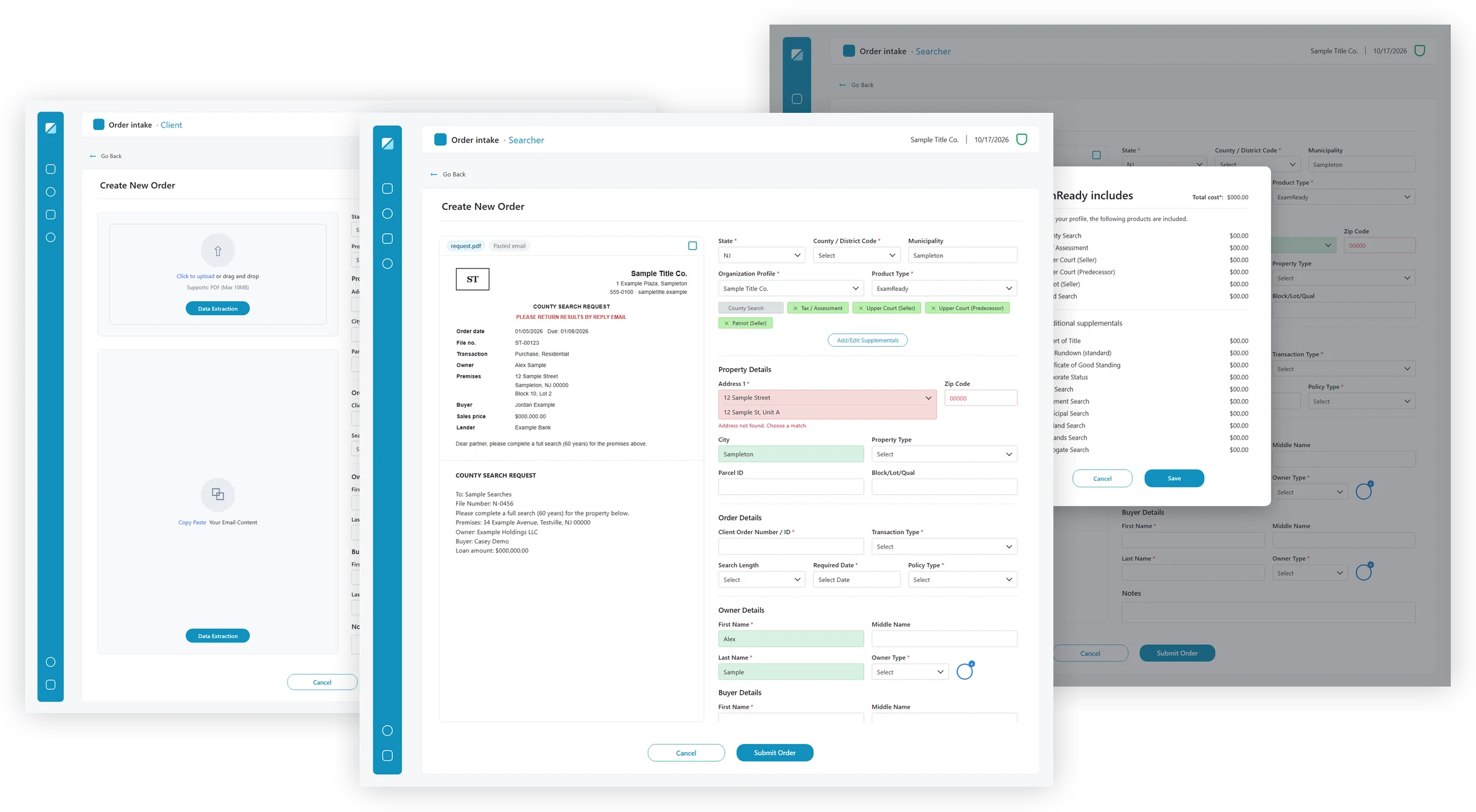
The aim was to move order creation to the people who hold the information, without handing them the help desk’s workload. The same intake page serves two apps: one for searchers and one for clients.
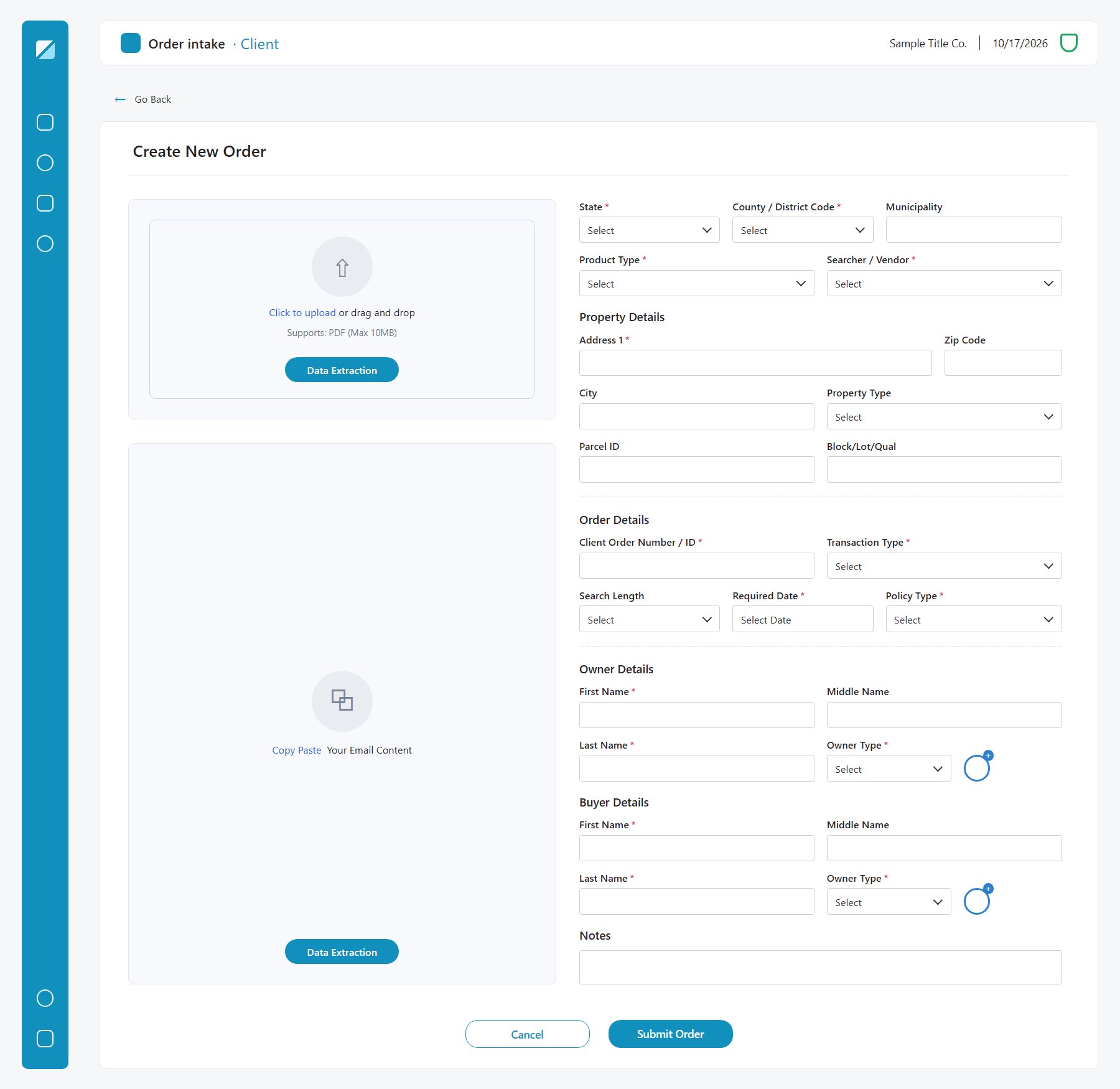
- Upload a PDF or paste an email
- AI extracts the data into the form
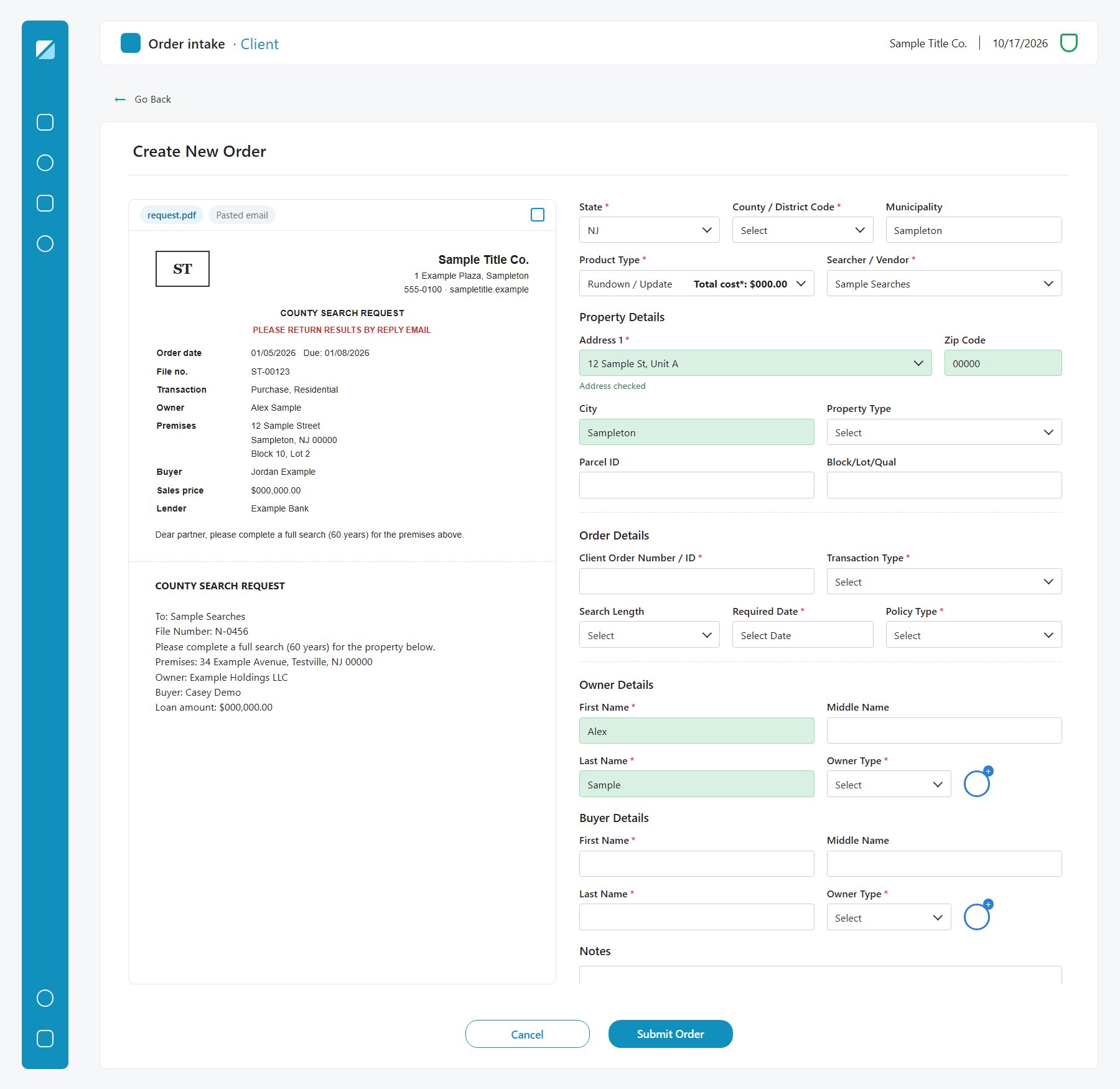
- The address is checked
- A person reviews beside the source
- Products are set by type, profile and state
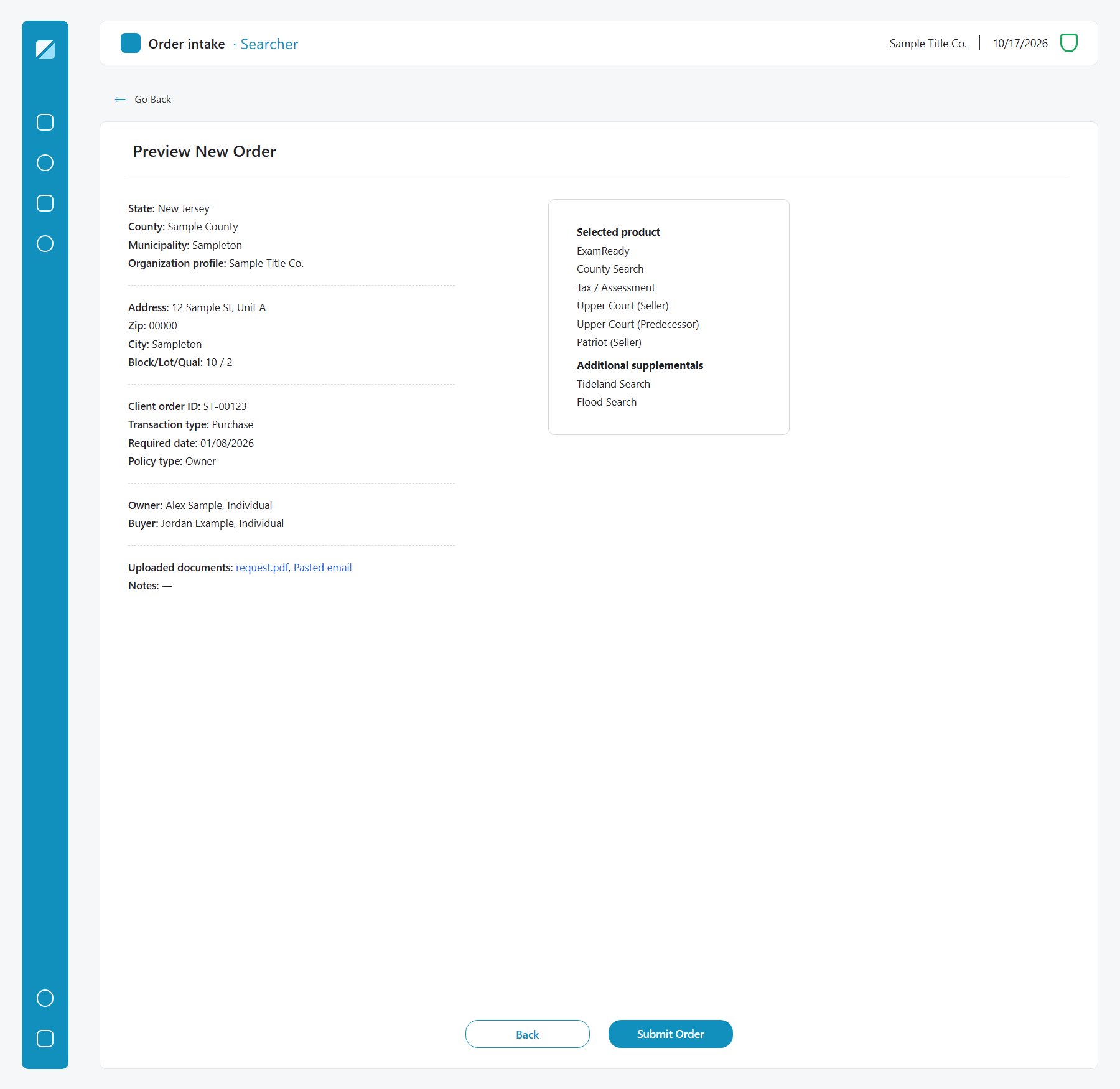
- Preview, submit, and the order is on the dashboard
One way in, whatever the source
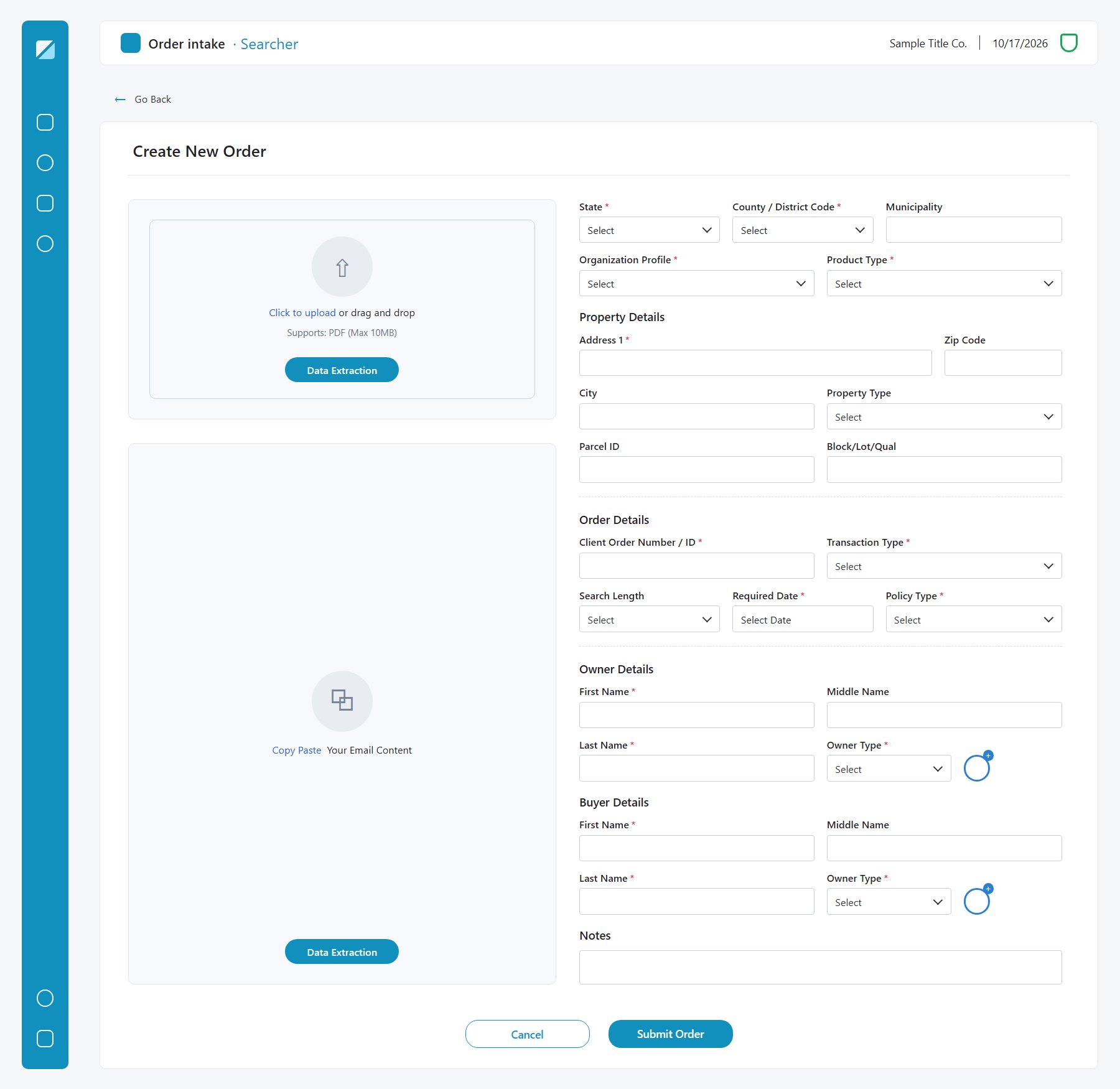
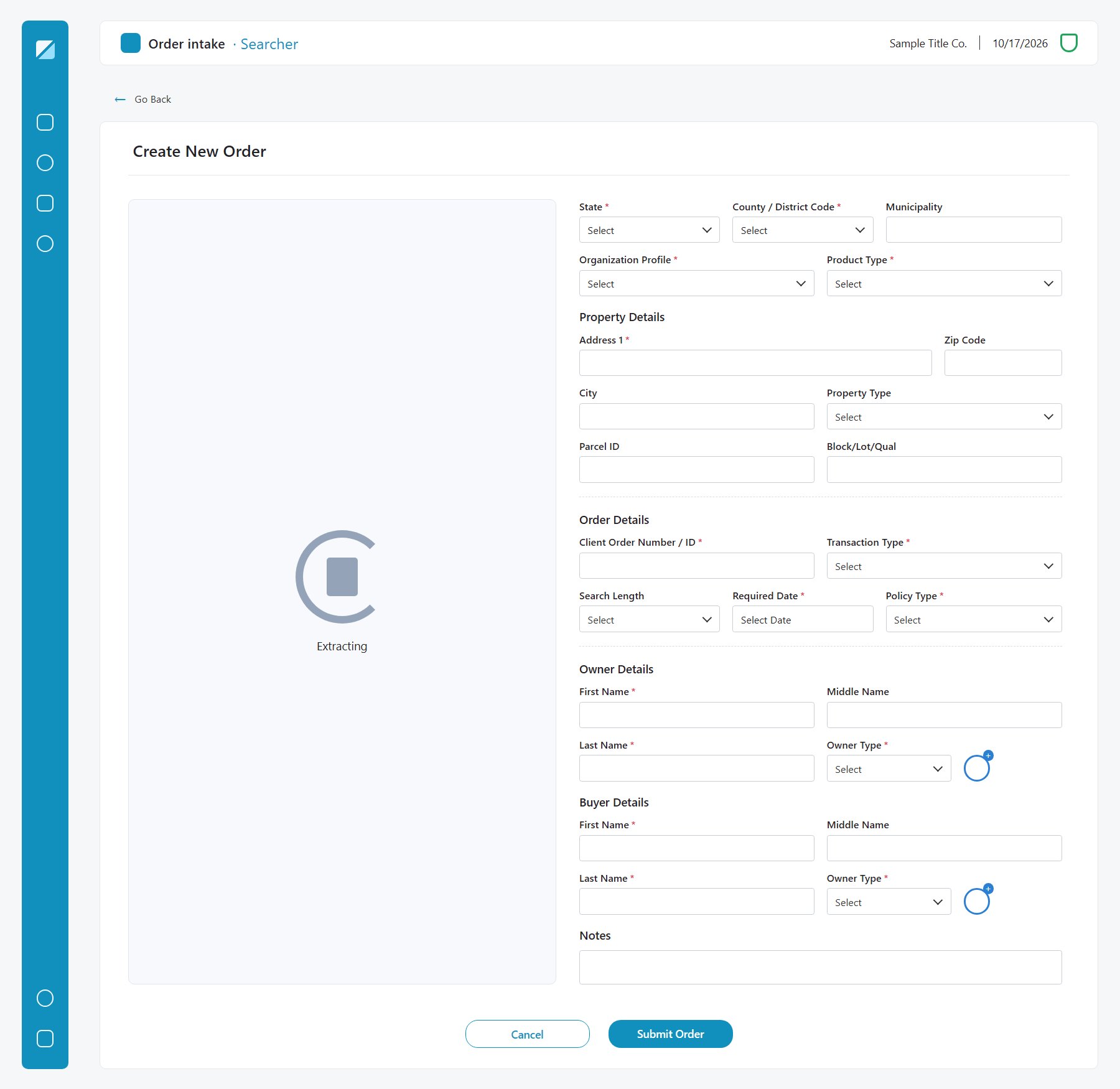
The page opens with two ways in: drop a PDF or paste the text of an email. Both end in the same structured order form, and the form is there from the start, so no one has to wait for the AI to start. People learn one process, and the steps after intake don’t depend on how an order arrived.
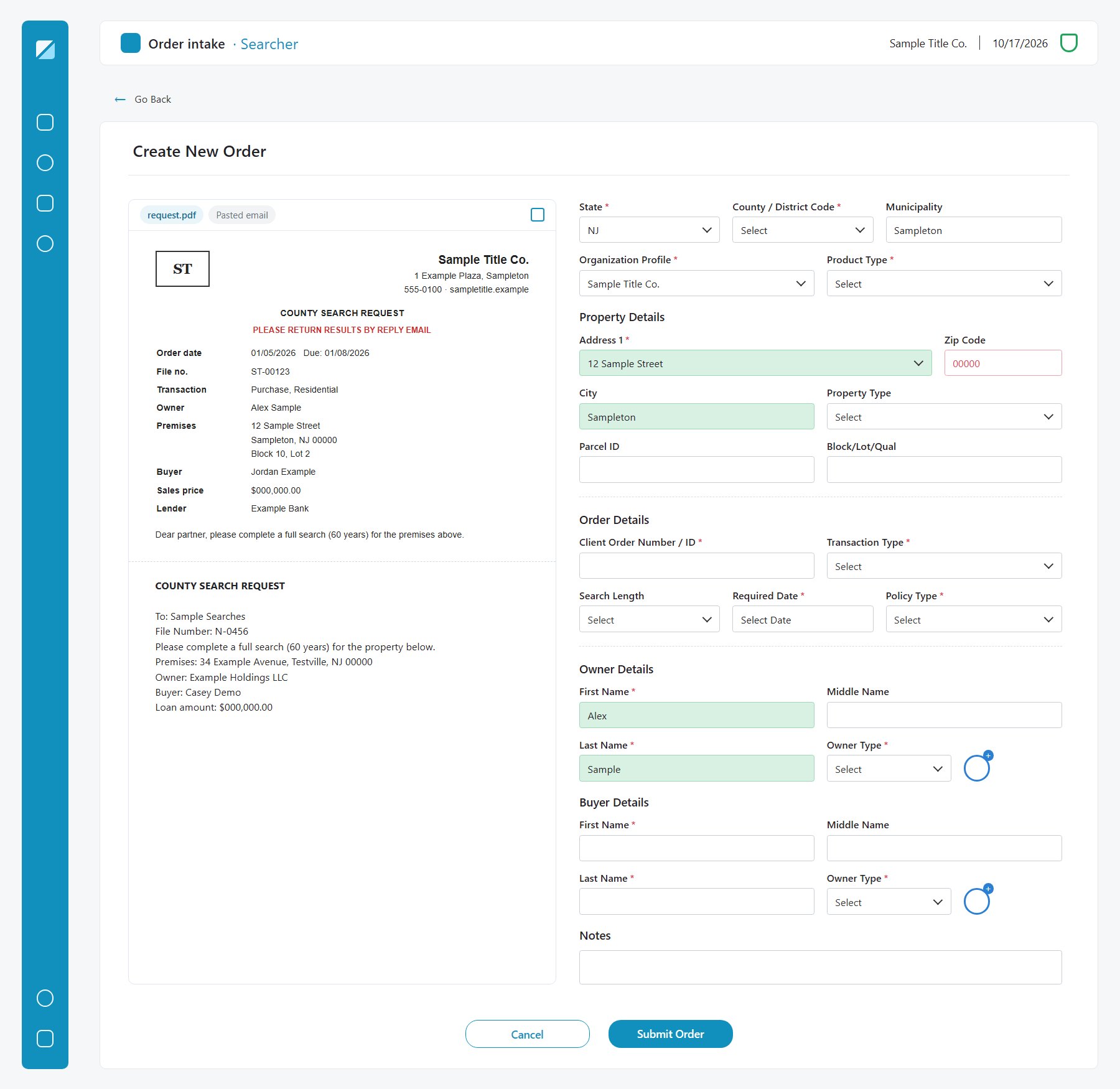
Review beside the source
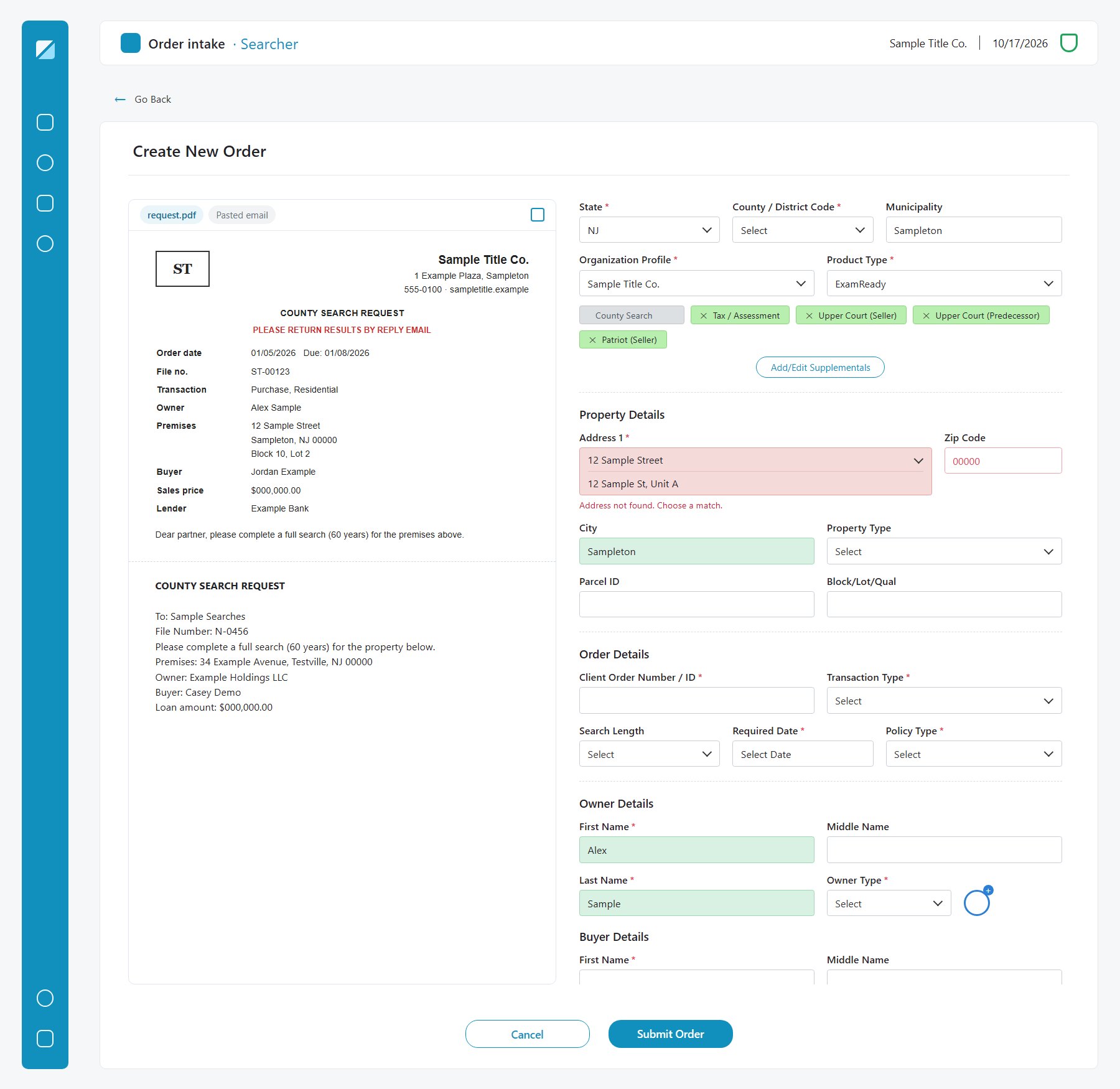
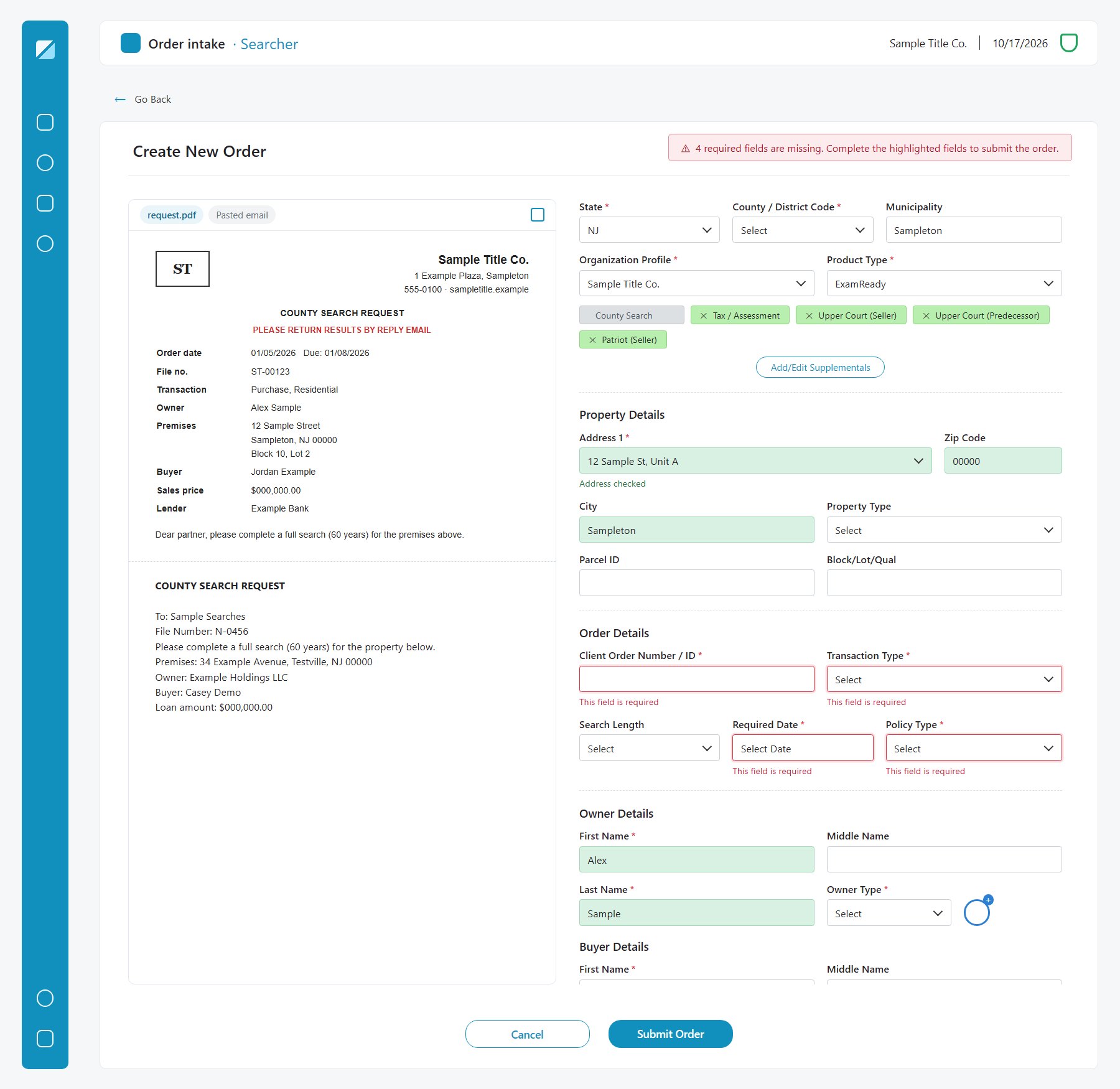
When the data comes back, the original documents open next to the form in their own scrolling panel. An order can carry more than one source, such as a PDF and an email, and each is extracted on its own. The person submitting is responsible for the order, so checking a value had to take a glance. I chose this over a separate review step, which would have meant switching screens.
Show only what needs attention
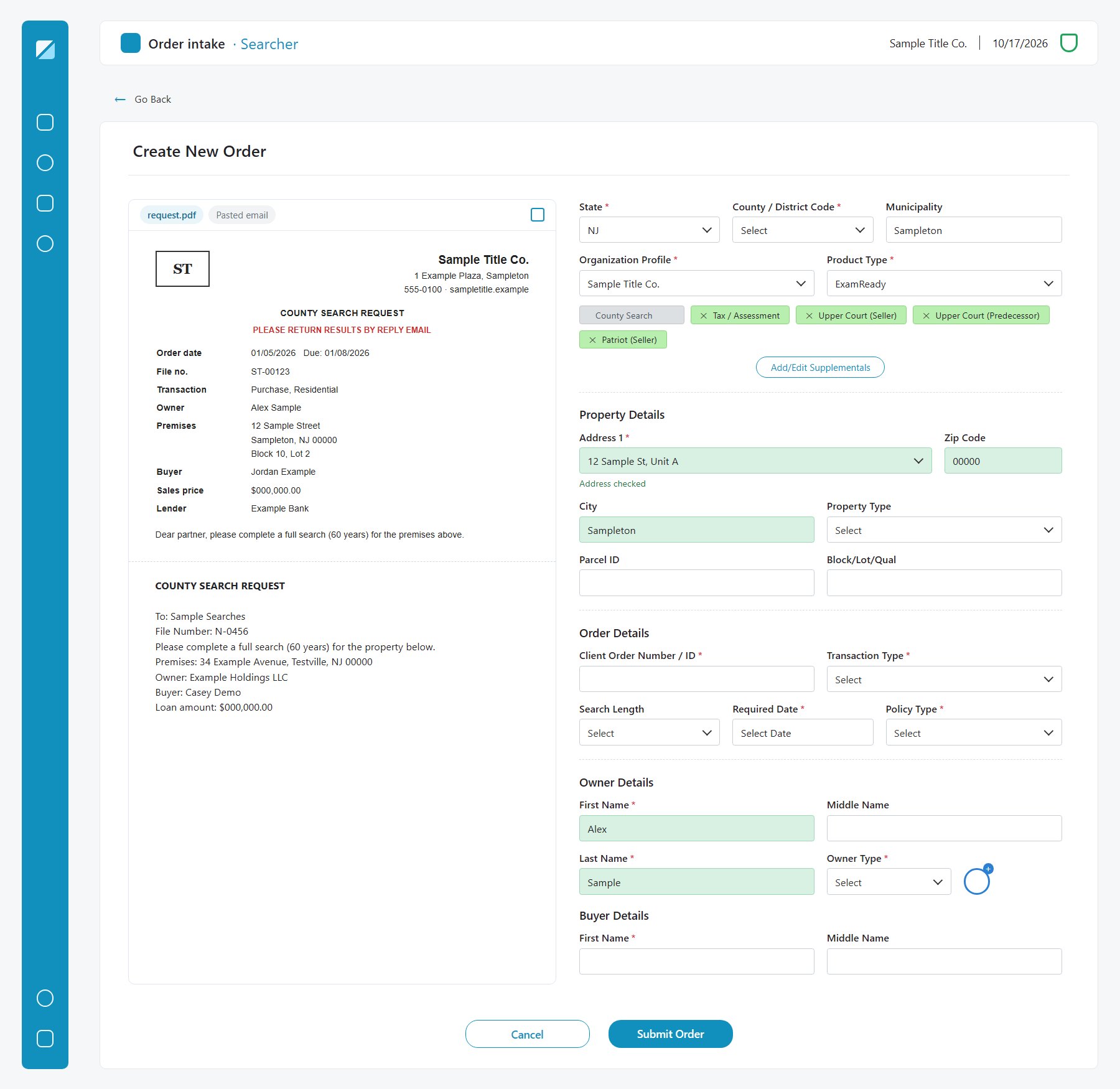
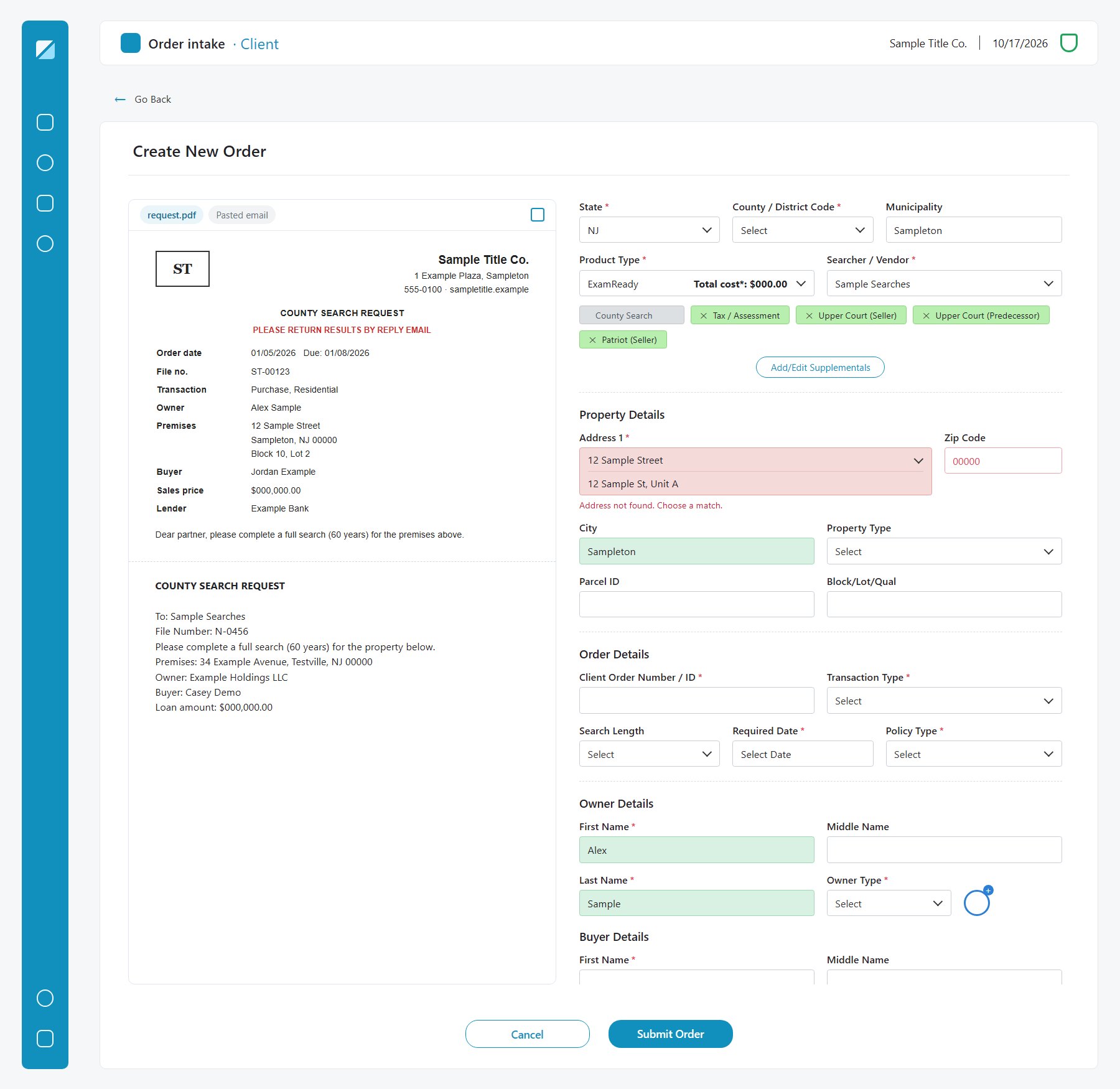
As the data loads, the address goes through an API to an outside system. A valid value turns green. An address that can’t be confirmed turns red and offers matches to choose from, and once one is picked, it turns green. Checking every field would have brought back the manual work we were trying to remove. Color shows people where to look first.
Rules in the background
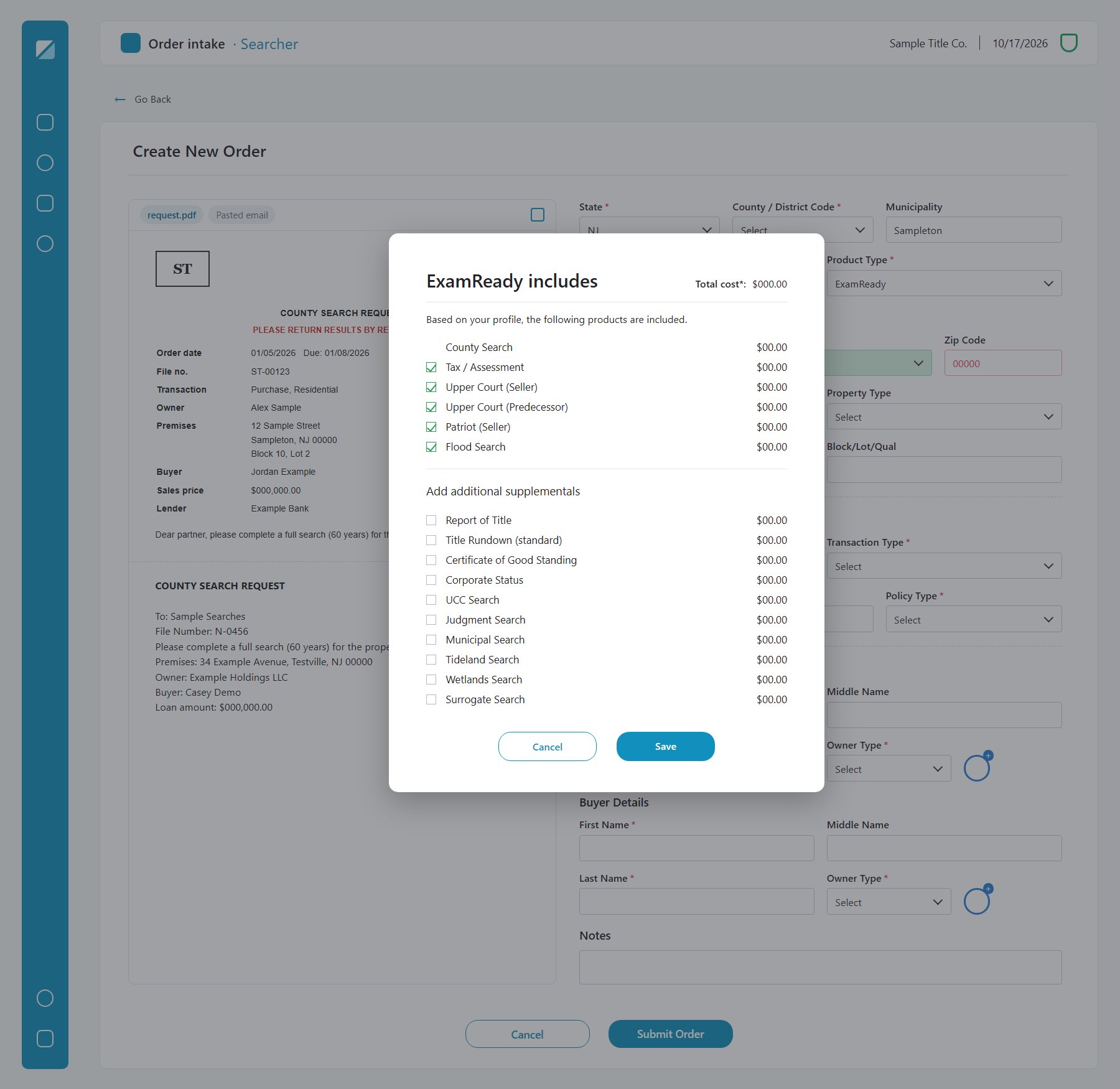
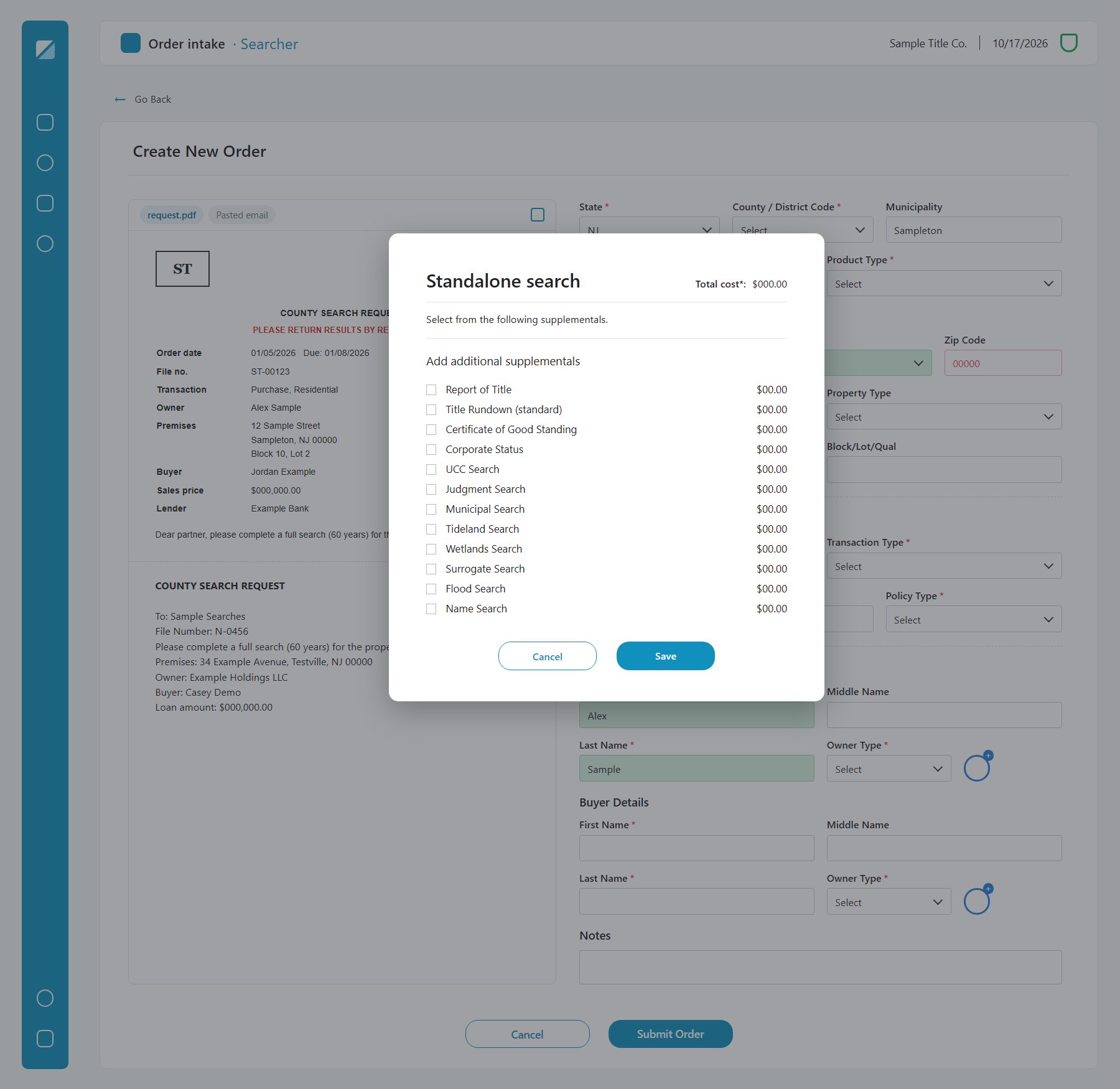
The product type sets what happens next. A bundle opens with its products preselected from the client’s profile: the core product is locked on top, the supplementals can be removed, and others can be added. The state the order is for decides which add-ons are on the list, and the cost updates as people choose. People start from a sensible default rather than needing to know every rule, and an order can never lose its core product.
One intake, two apps
Searchers and clients each have their own app, and both use the same intake page. They differ in a single field: a searcher picks the client’s organization profile, and a client picks the searcher or vendor who will do the work. Both go from preview straight to the dashboard. One shared page means one flow to learn and one to maintain.
No dead ends
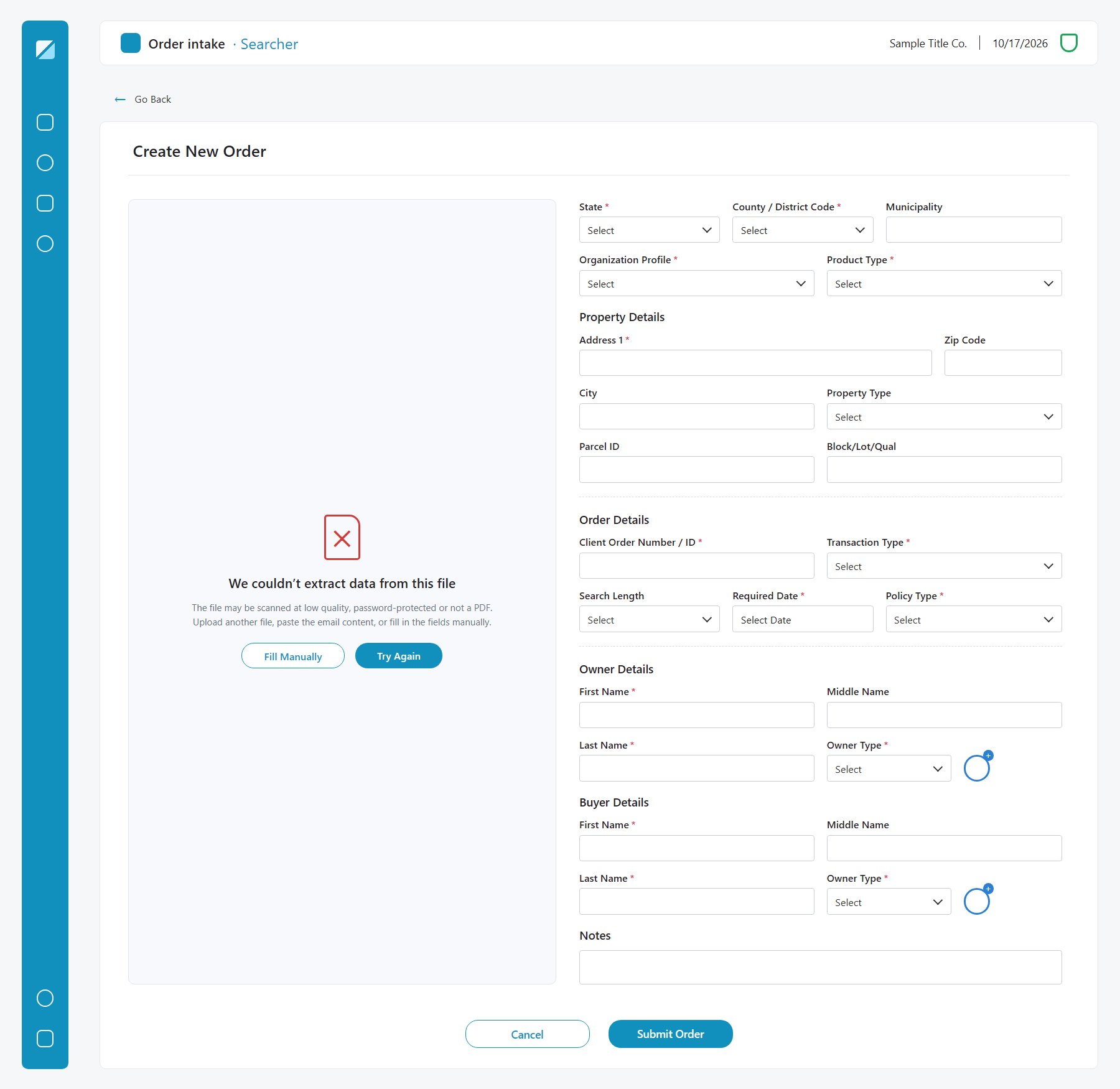
If extraction fails, the screen says why it may have happened (a low-quality scan, a password-protected file, or not a PDF) and offers two ways forward: Try Again, or Fill Manually in the form already on screen. Poor-quality scans are routine in this work, and an order still has to go through when the AI can’t read it.
If required fields are still empty at submit, a message at the top says how many are missing, and each one is marked on the form with “This field is required”.
What got easier
Before
Orders arrived by phone or email, often partial or on paper. The help desk typed each one in and chased the missing details.
Now
A client or searcher creates the order from a PDF or email. The system fills the form, checks the address, sets the products and points to what needs a person.
Order intake is faster, with fewer manual data-entry errors. Moving order-taking away from the help desk is in progress.