
MX Title
A title search passes through three systems and many hands before it reaches the client. I mapped how they all work together, found where orders stall or loop, and designed the screens that connect clients, searchers, vendors and the back office.
- Role
- Lead, product definition and UX
- Company
- A title research and underwriting company
- Users
- Clients, admins, employees, vendors and 3rd-party searchers
- Scope
- Mapped the systems, recommended changes and designed improvements. Product architecture, user journeys and interfaces for interconnected applications: order intake, assignment, pricing, quoting, quality control, exception handling, revisions and delivery. Includes AI document intake
What was complex
Clients such as agencies, lenders and title companies order searches on a property. One order travels through three systems: the MX apps where clients and searchers work, the production module that checks, reads and delivers the work, and a separate back-office system where searches are assigned and completed.
- Many roles. Order entry, admins, employees, internal and external vendors, 3rd-party searchers, quality control and delivery teams all touch the same order.
- Handoffs between systems. The order leaves for the back office and comes back with results, each side with its own statuses.
- Loops. A failed validation, a review note on the results or a quality issue sends the order back a step.
- Many products. County searches, bundles, rundowns and add-ons, each with its own path and price.
Mapping the system first
Before redesigning any screens, I mapped every system end to end: who does each step, every status, every handoff and every loop, from the client’s request to the delivered results.
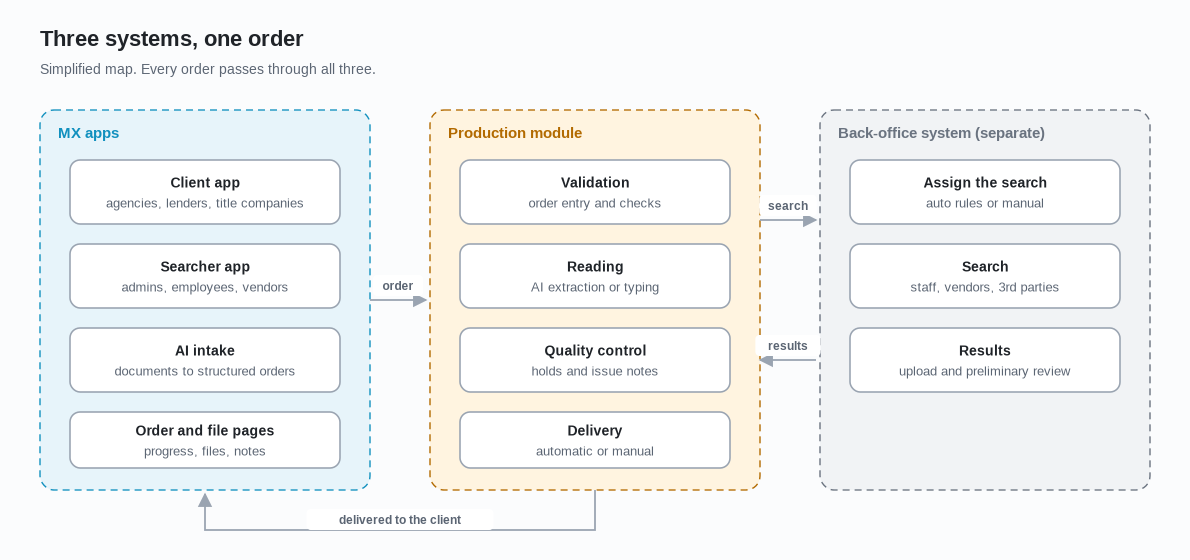
The map revealed two problems. While an order is in the separate back-office system, clients and staff can’t see where it is. And when results come back with a review note, or quality control puts an order on hold, the notes are kept outside the order, so the searcher or admin misses them.
One place to see every order
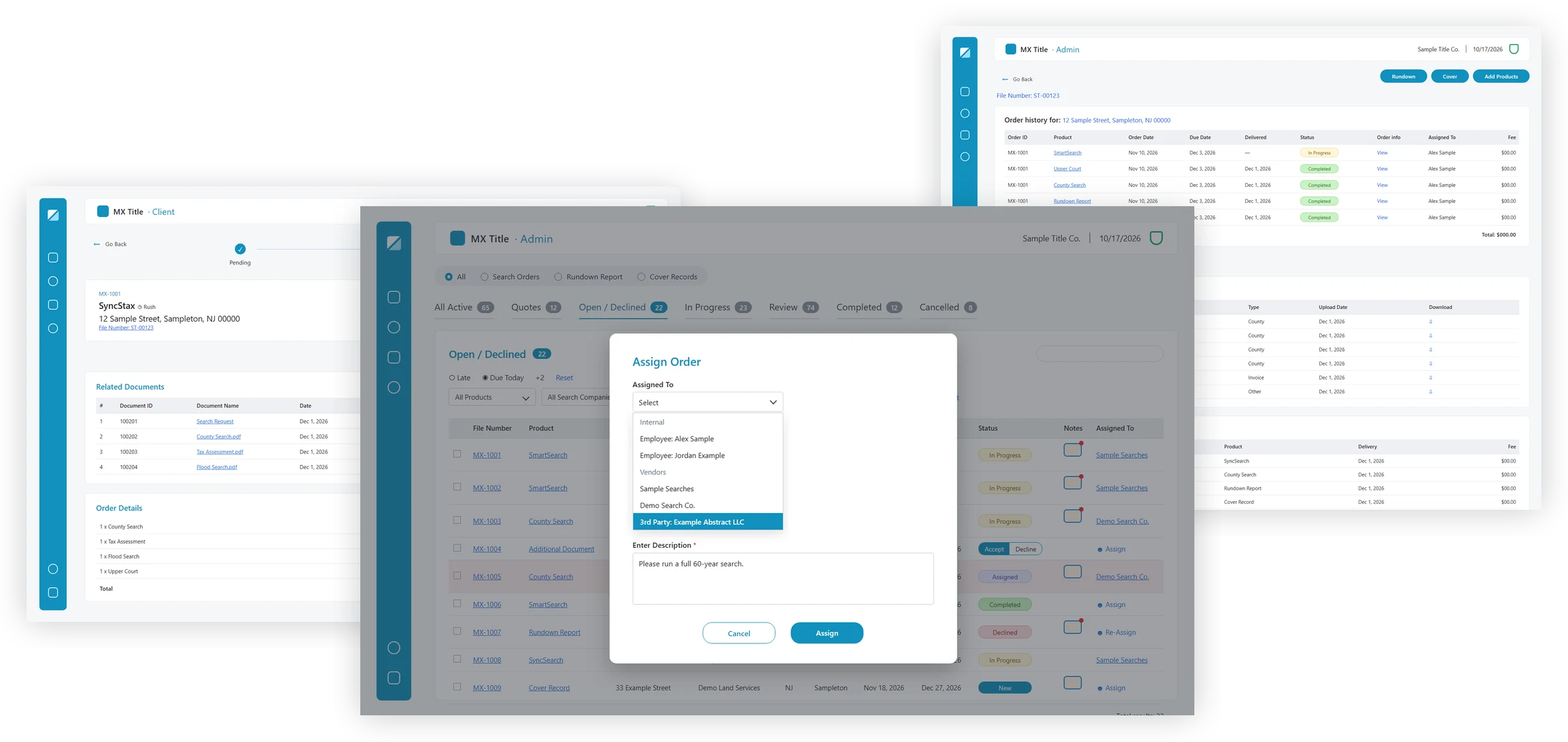
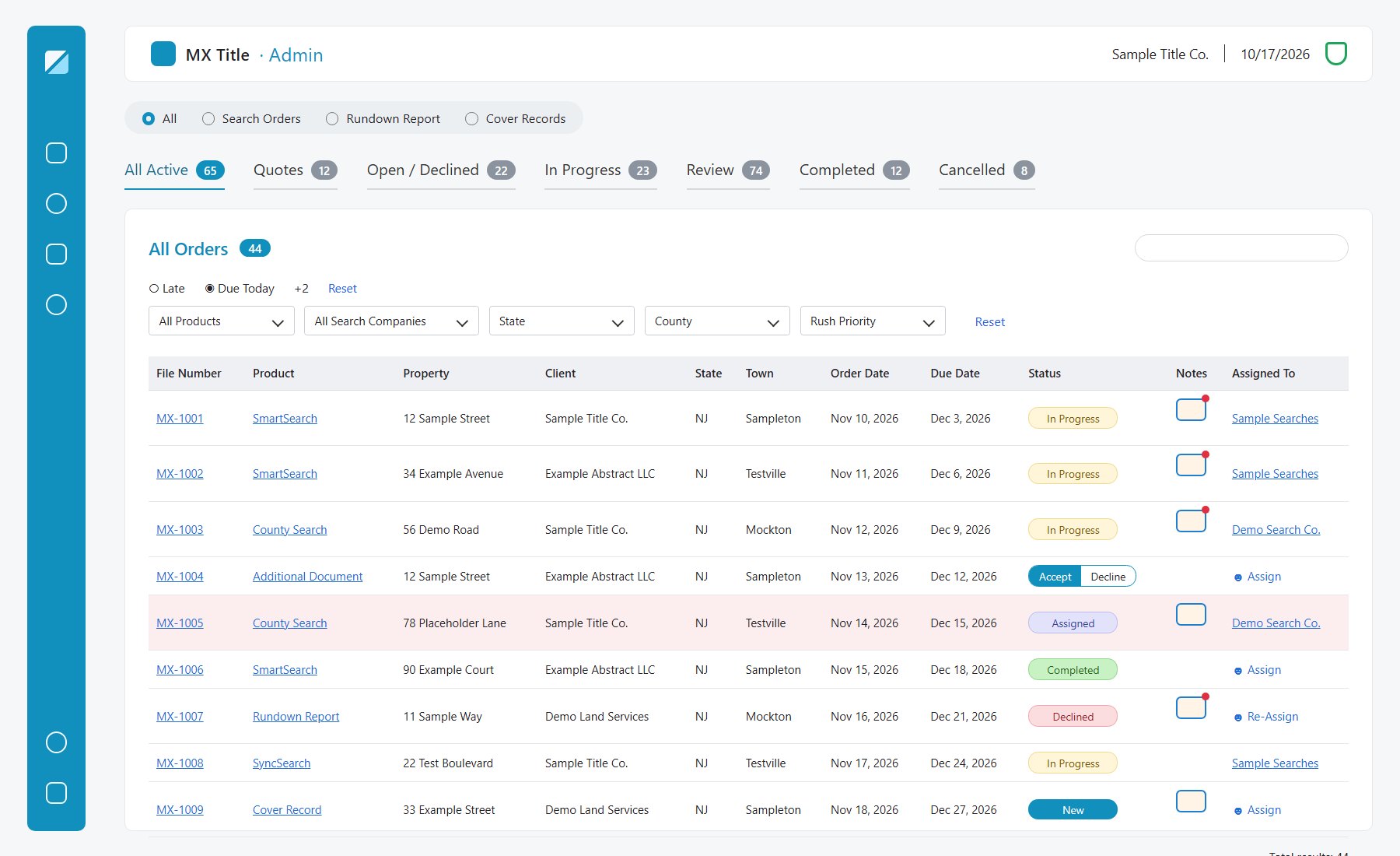
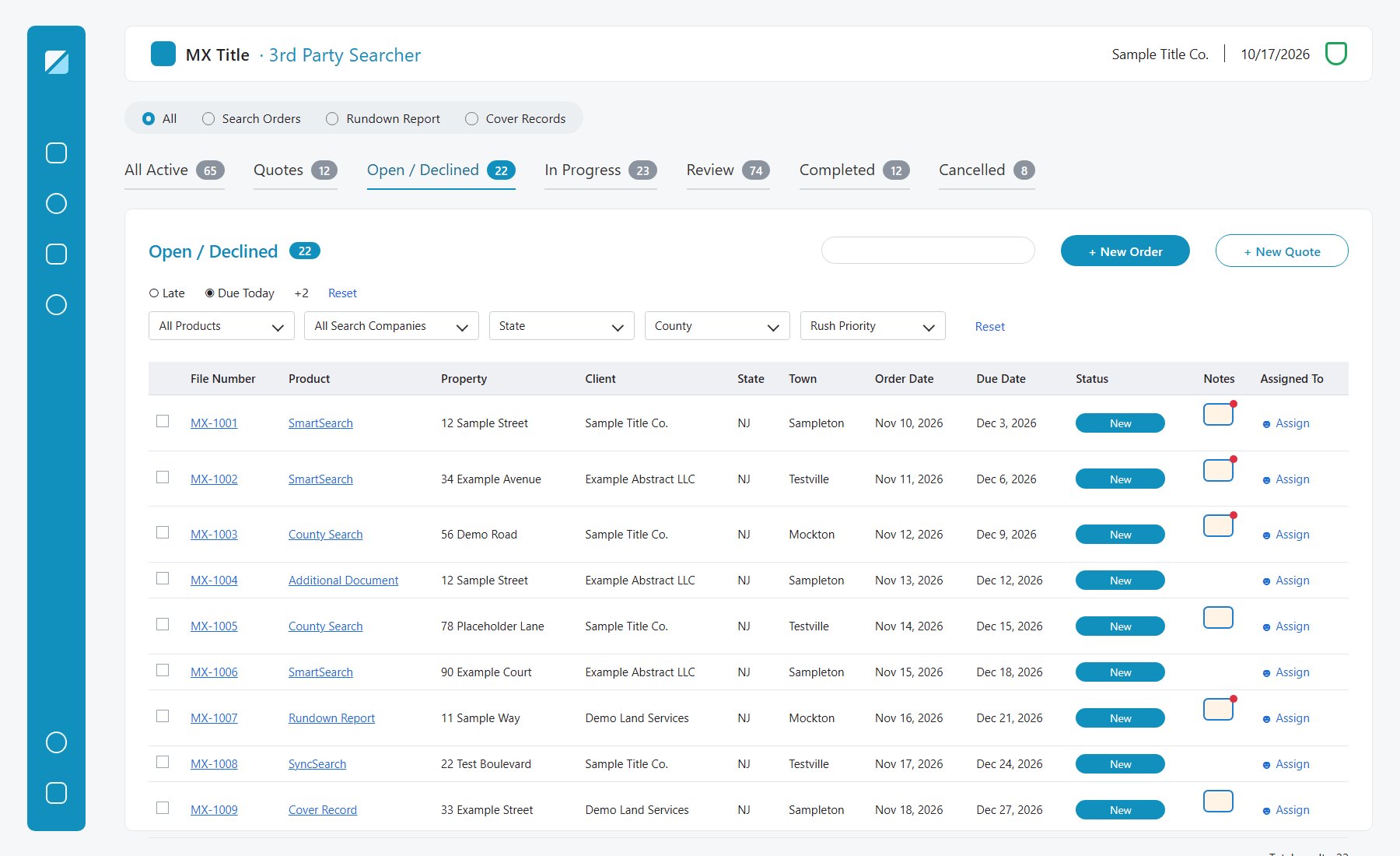
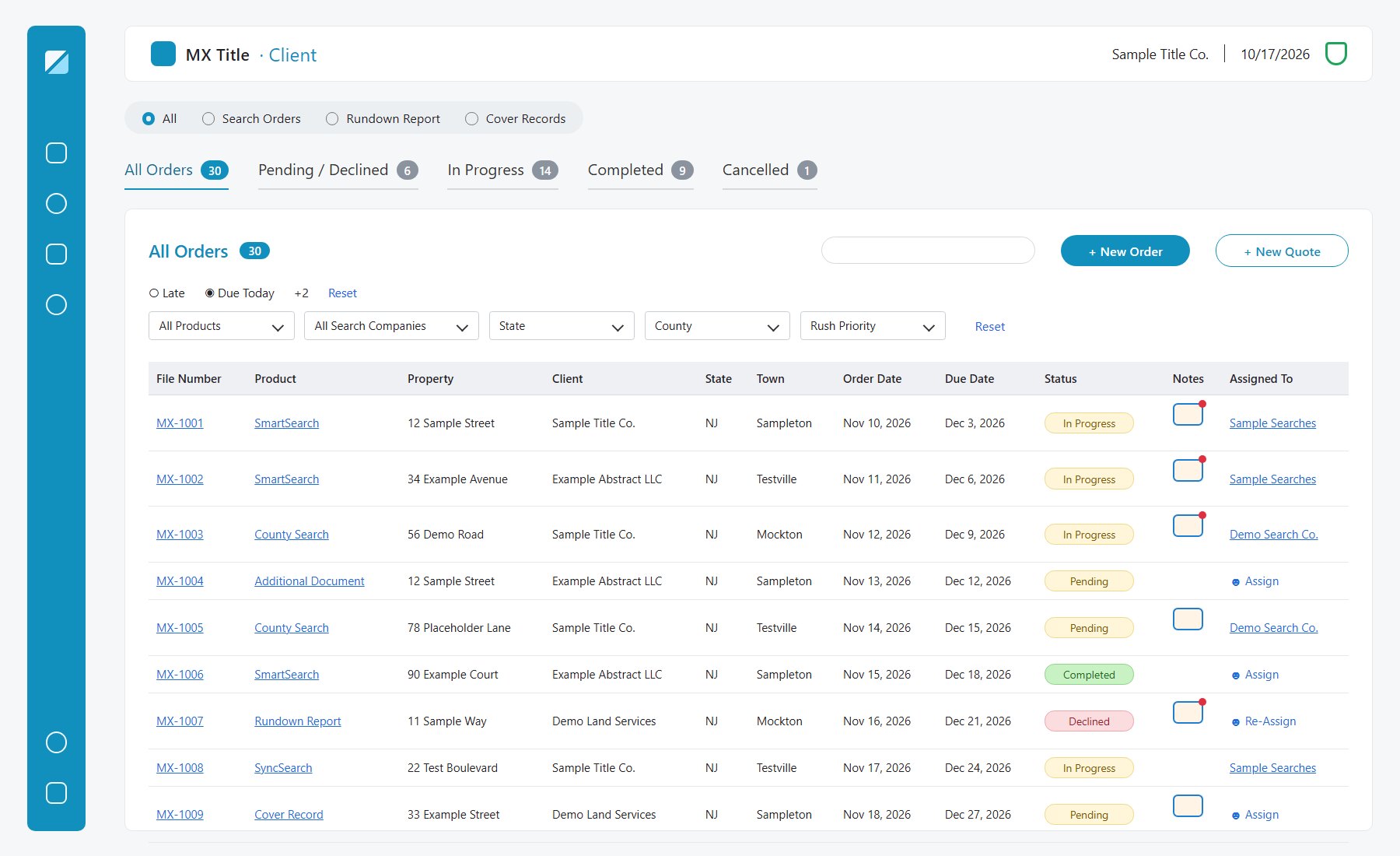
Admins work from one orders list, with tabs by stage (quotes, open or declined, in progress, review, completed, cancelled) and filters for due date, product, search company, state, county and rush priority. Each row shows its status, any unread notes and who it’s assigned to, and new requests can be accepted or declined directly from the list.
Assign the search to the right hands
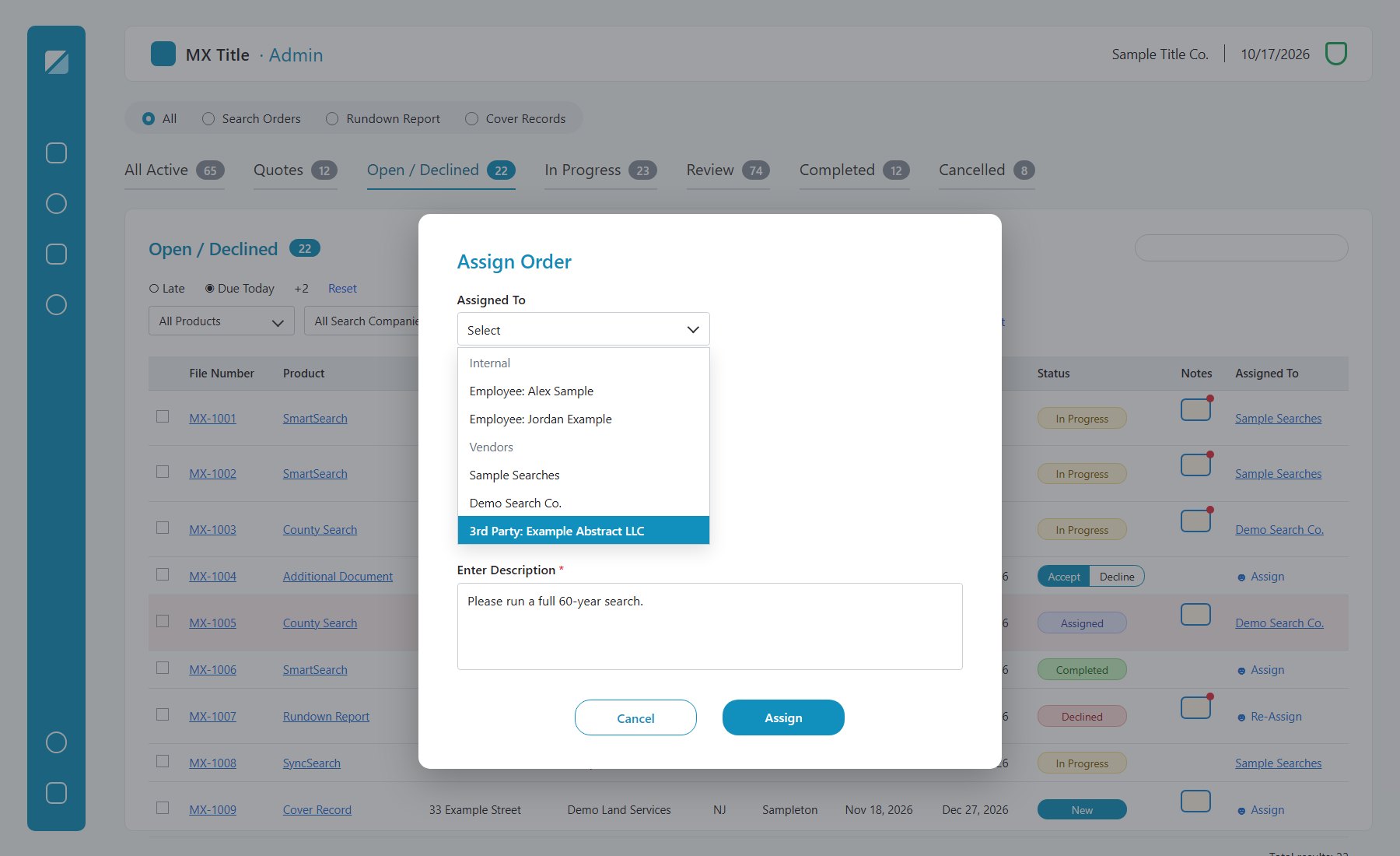
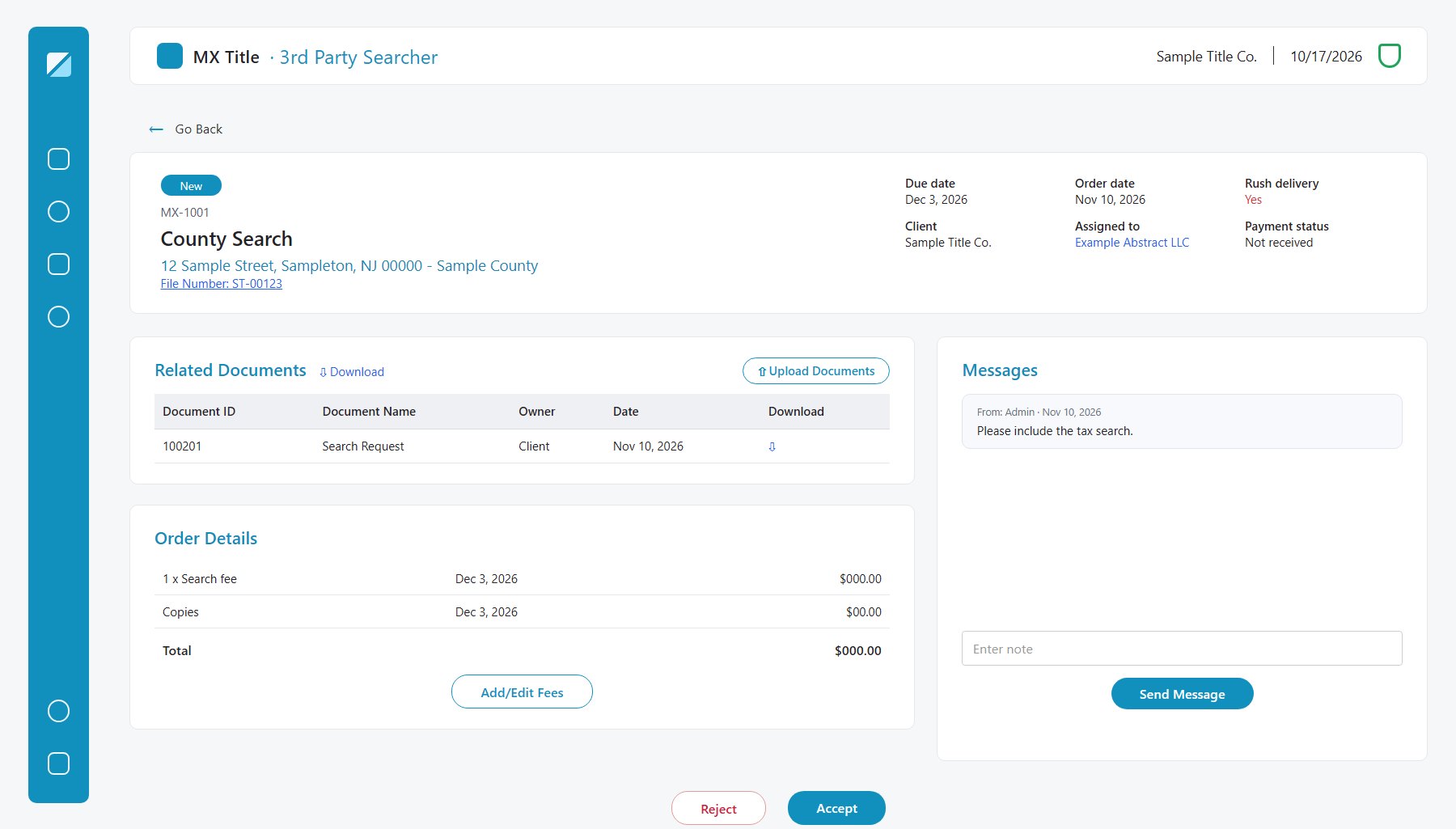
An order can go to an employee, a vendor or a 3rd-party searcher from the same Assign Order step, with a description of the work. The 3rd party sees it in their own list, opens the order file, and accepts or rejects it before starting. One assignment step for every kind of searcher means admins don’t need to know which system each one works in.
Every note lives on the order
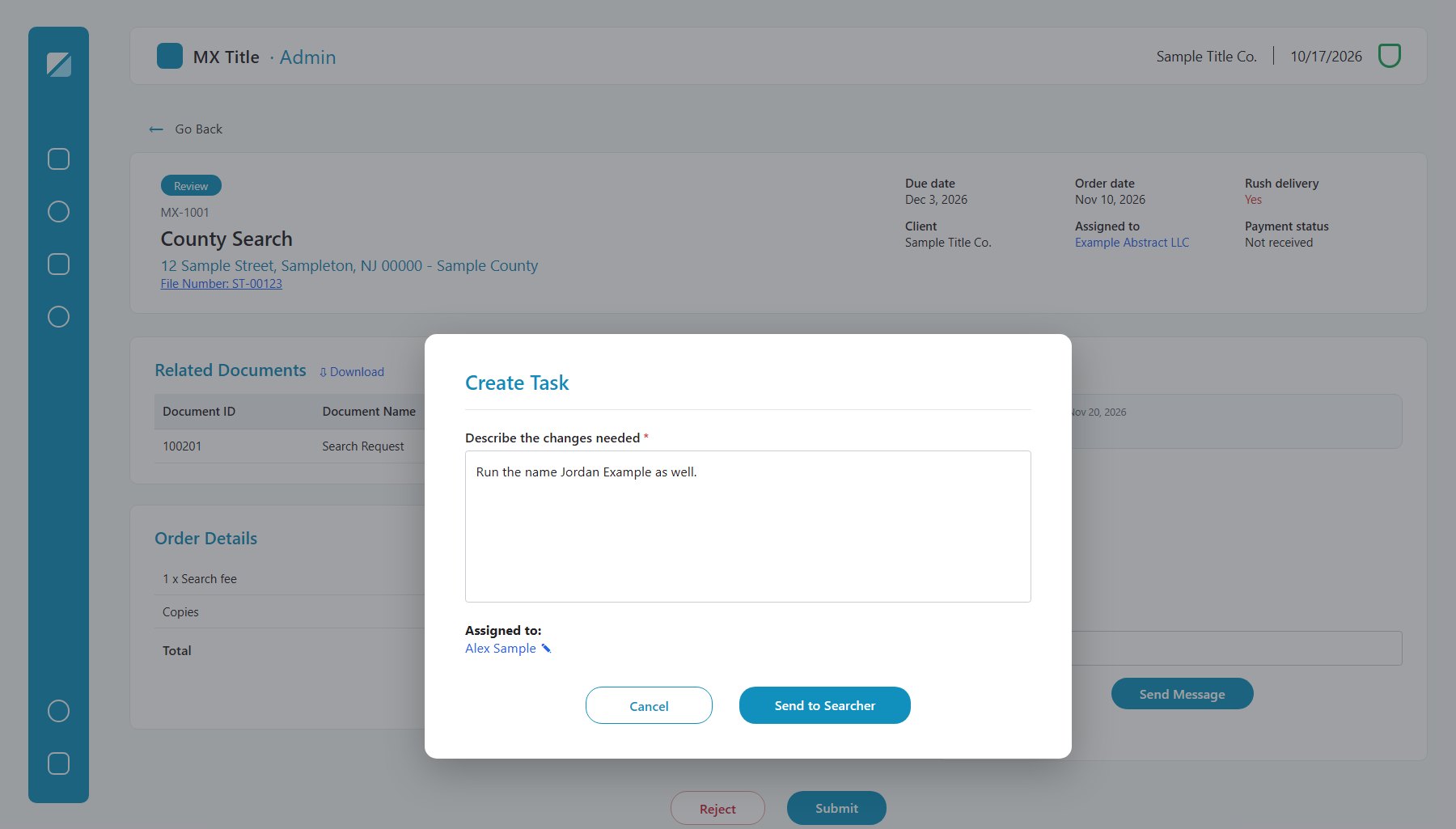
To keep notes from getting lost, I designed every note, task and review comment to stay on the order itself, visible to everyone working on it. When an admin needs changes, they create a task on the order, describe what’s needed and send it to the searcher, and the replies stay in the order’s messages.
Everything about a property in one file
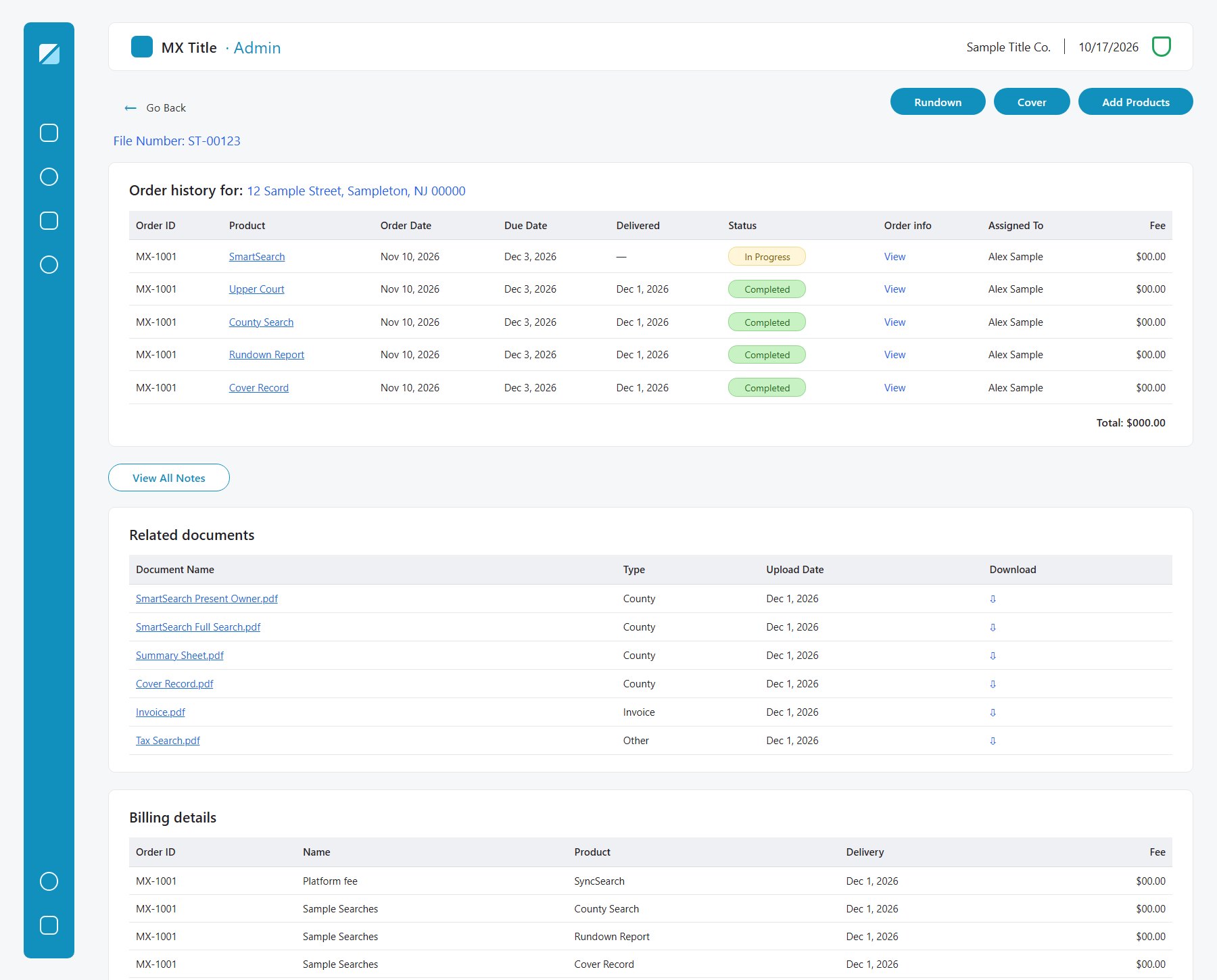
A property can have several orders over time: a county search, an upper court search, a rundown, a cover record. The file-level page brings them together, with the order history and its statuses, every document, and the billing, so no one has to reconstruct a property’s history from separate orders.
Clients can follow their order
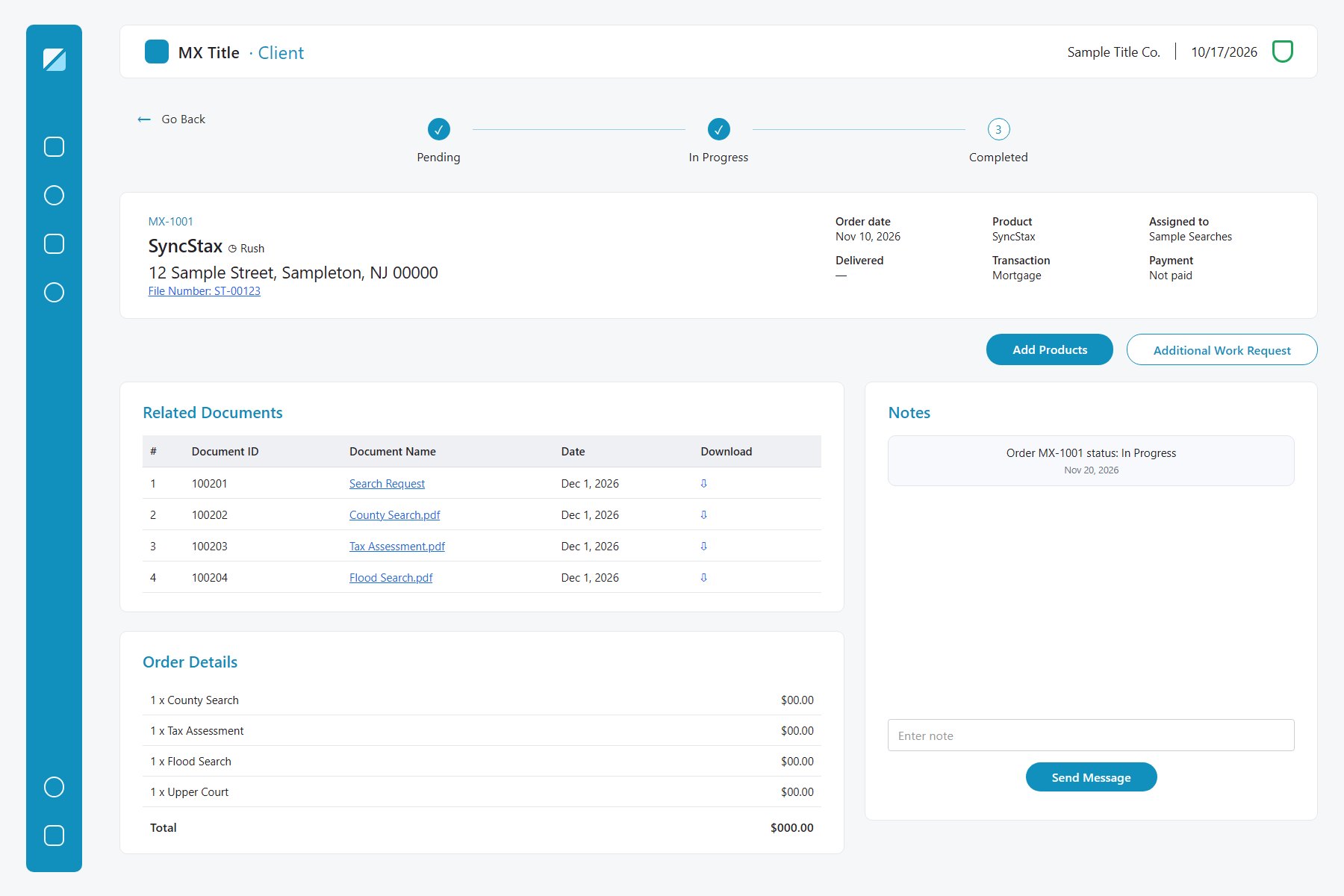
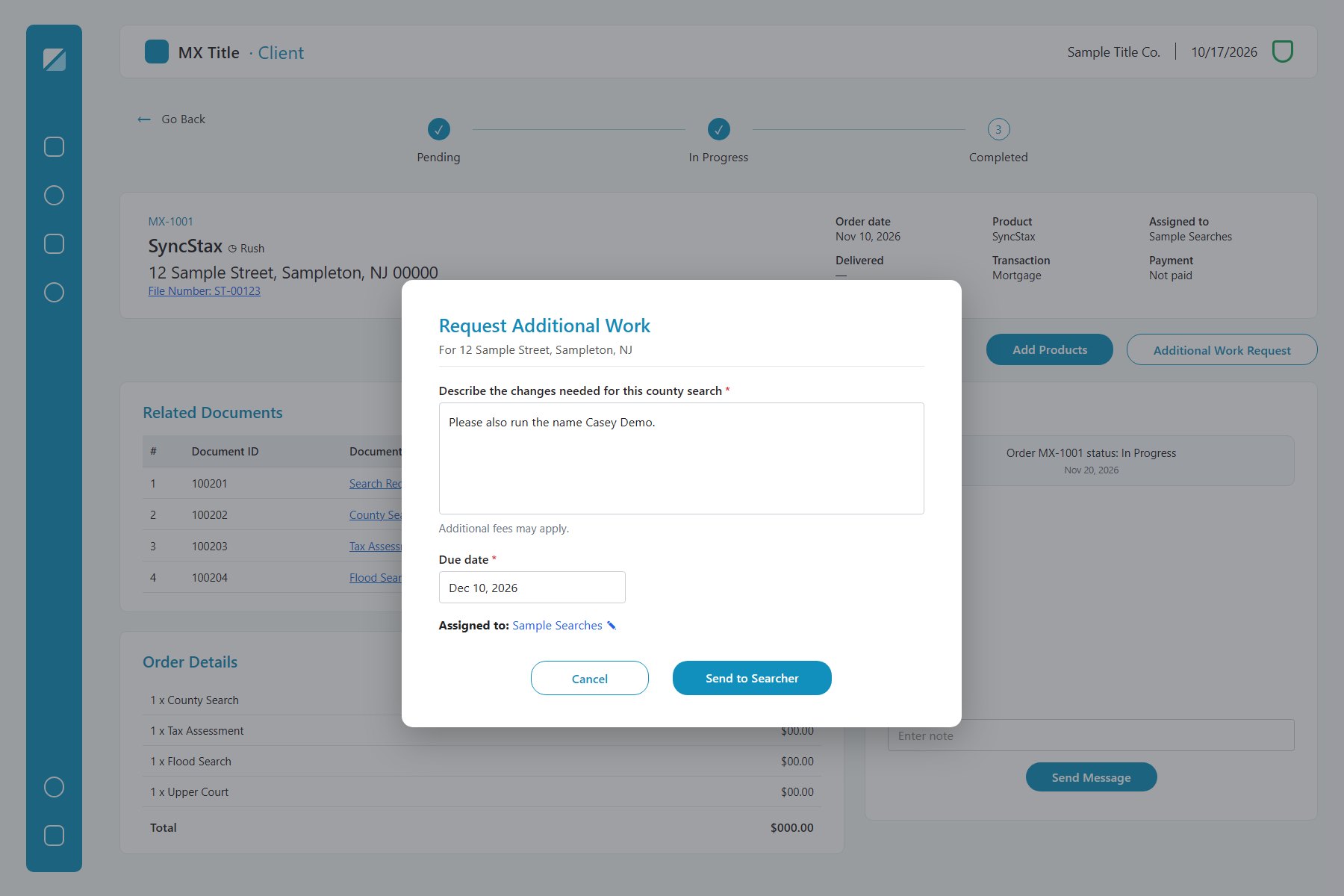
In the client app, each order shows where it is (pending, in progress, completed), the documents as they arrive, the cost, and notes with the searcher. From the same page, a client can add products or request additional work, instead of starting a new order.
Orders in, faster
Orders that arrived by phone, email and paper can start in MX from the client’s own documents, with AI filling in the form and a person verifying it. That part has its own case study.