Zweave CPLM™
I analyzed how protective apparel is developed for the U.S. military and designed the object model and interface to manage it, from design and materials to color, fit and sizing.
- Role
- Senior Information Architect
- Company
- Zweave, Inc.
- Users
- Department of Defense (U.S. Navy and U.S. Air Force research) and enterprise clients
- Scope
- Analyzed the existing garment development business and proposed a solution: workflows, user roles, information architecture, UX and UI, and a visual prototype so stakeholders could understand the solution. 6 modules, 61 screens
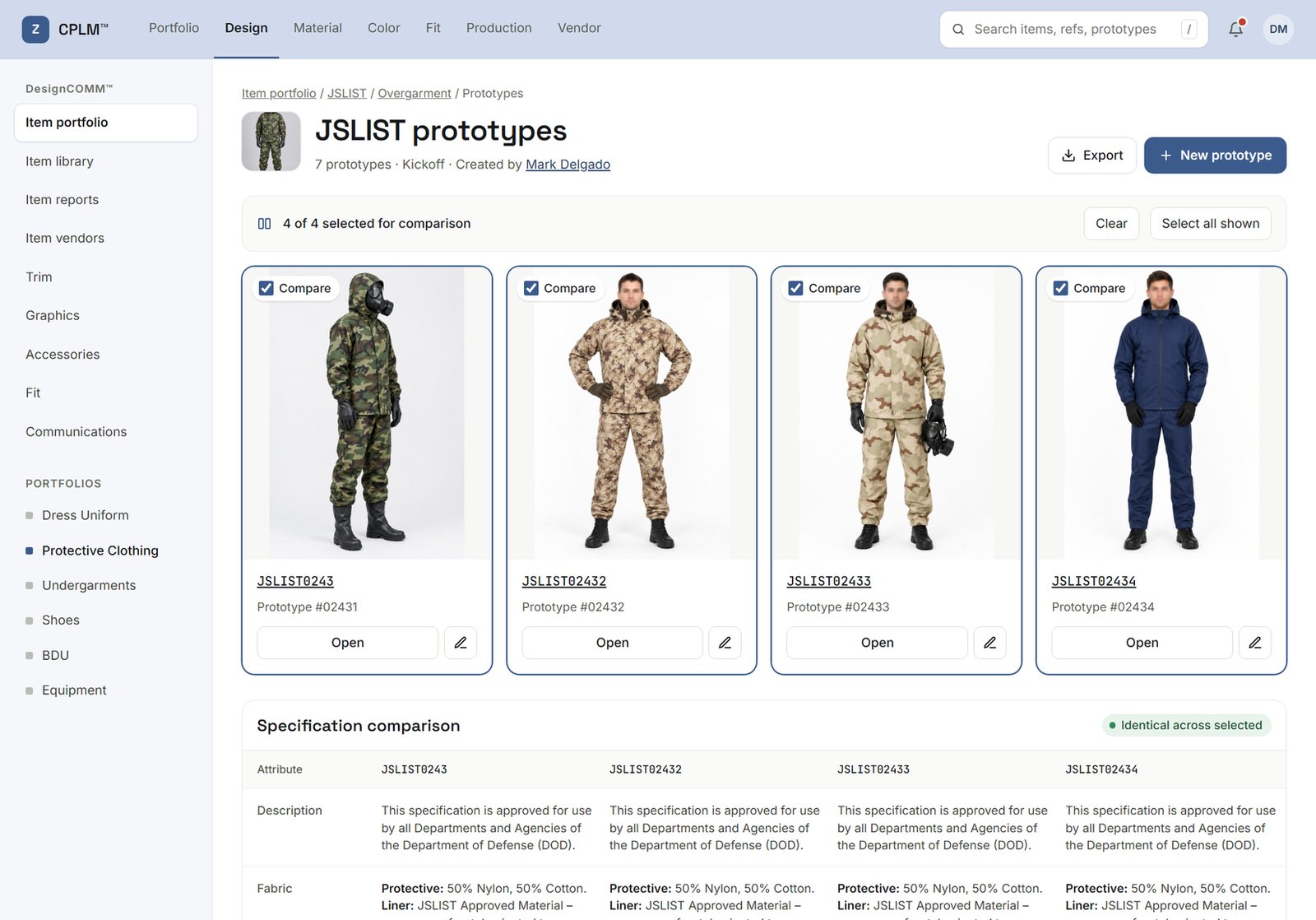
Lifecycle software for military and commercial apparel
Zweave, Inc., based in Boston and New York, builds CPLM™ (Collaborative Product Lifecycle Management) for apparel, from design through sourcing. Its military work came through SBIR research programs:
- U.S. Navy, Natick Labs. SBIR N02-008: the first 3-D anthropometric CPLM platform for designing uniforms and protective apparel.
- U.S. Air Force, CARD Lab. SBIR OSD02-CR10: tools for accessing and working with 3-D anthropometric data.
- USSOCOM, tactical vest. SBIR 03-011 proposal: a modular vest with power and communications, developed on CPLM™.
Who works on a garment
Designers, material researchers, test labs, vendors and factories all work on the same garment. CPLM™ gives them one shared record, so a chemical protective suit moves from portfolio to approved sample without spreadsheets and emailed PDFs.
- Shared work. Designers, material researchers, labs, vendors and factories needed shared work areas and one source of product data.
- Fit for the whole force. Sizing had to come from 3-D anthropometric data, so protective gear fits the full population it serves.
- Cost is decided early. Most cost is committed before production, so materials, color and fit decisions need traceable approval.
The six COMM modules
- PortfolioCOMM™. Plans brand and product portfolios, with a central dashboard.
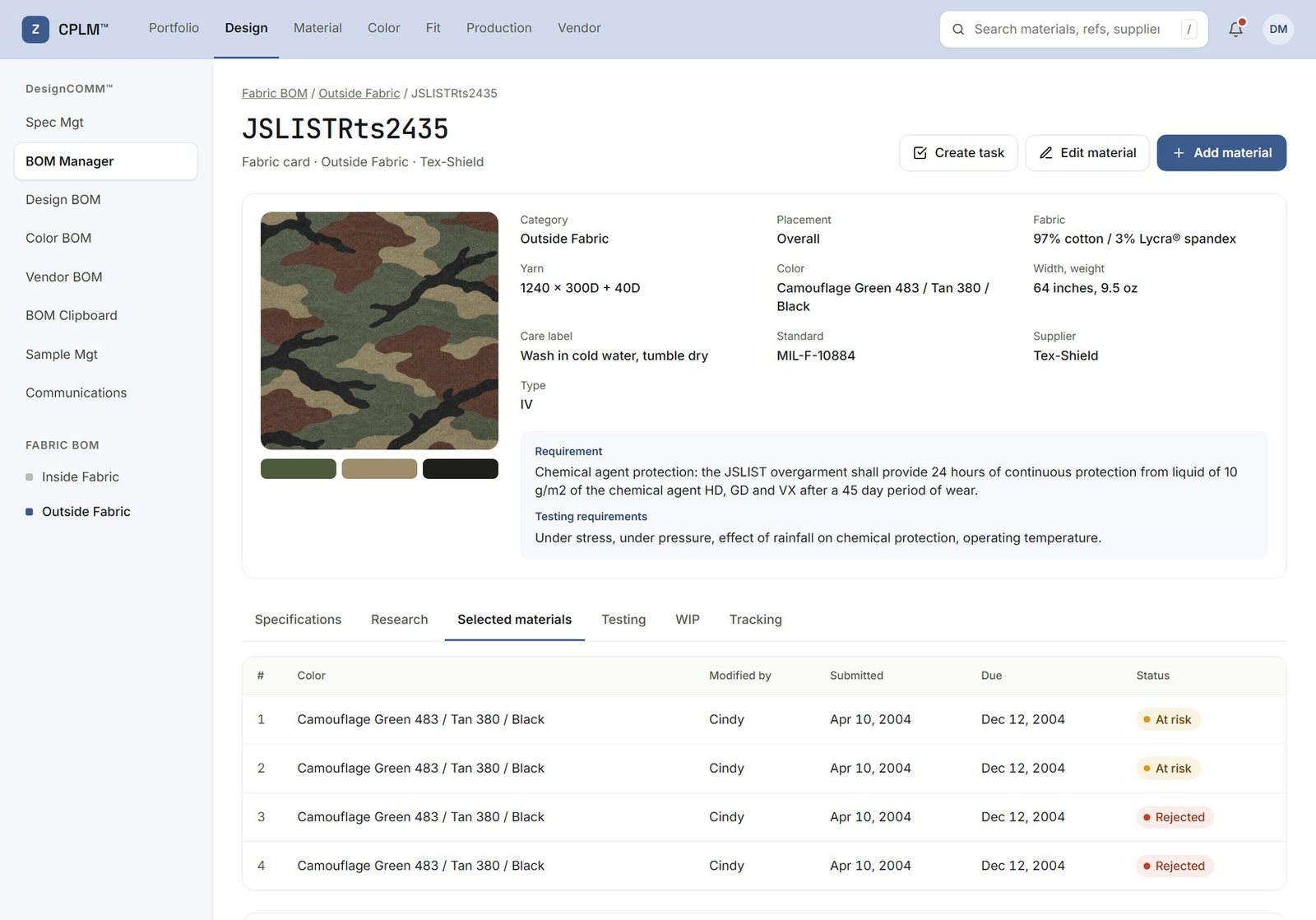
- DesignCOMM™. Item specs and multi-vendor, multi-color bills of material.
- MaterialCOMM™. Fabrics, trims, accessories and graphics through their lifecycle.
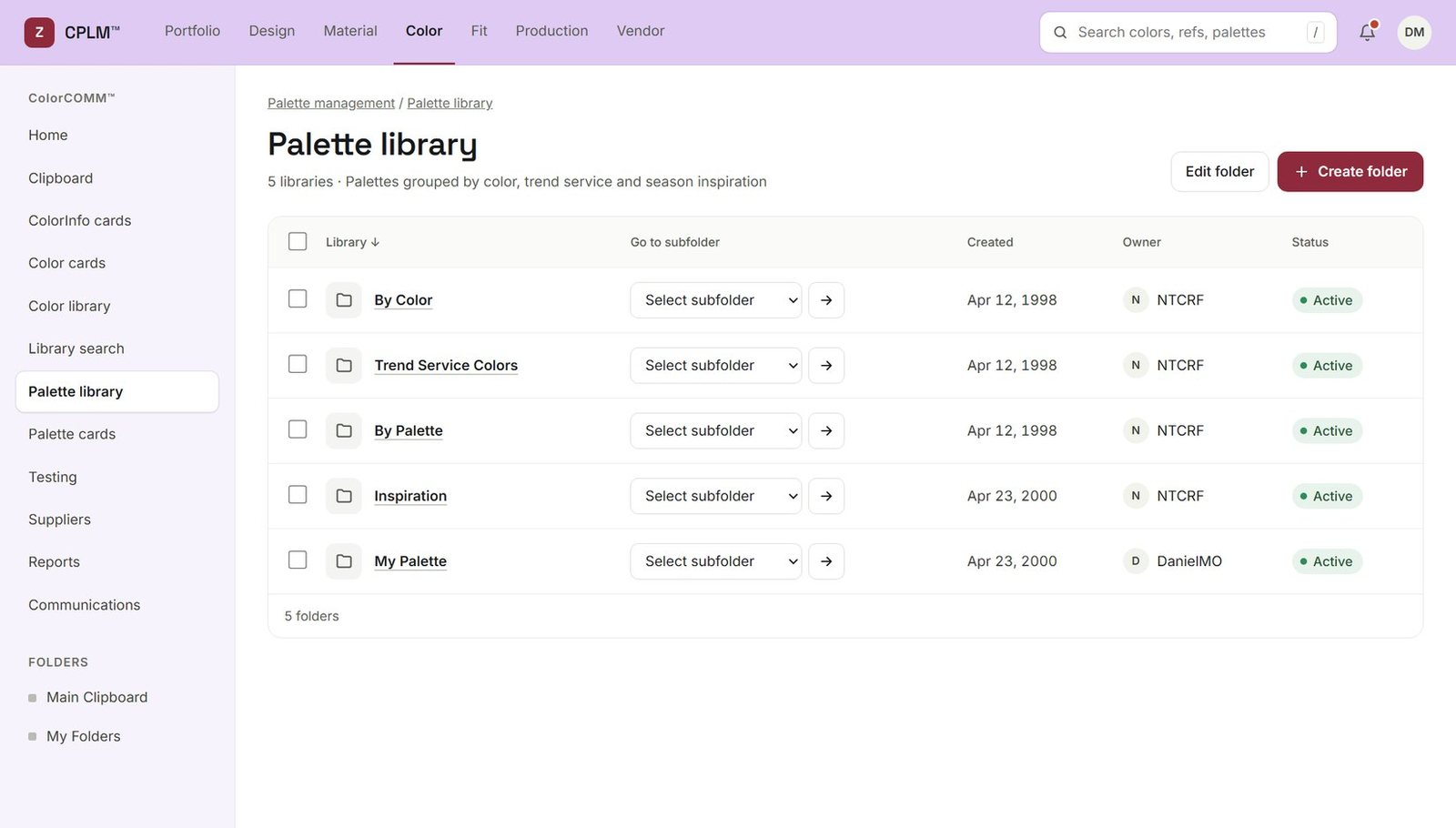
- ColorCOMM™. Color data for design, testing and procurement, by vendor.
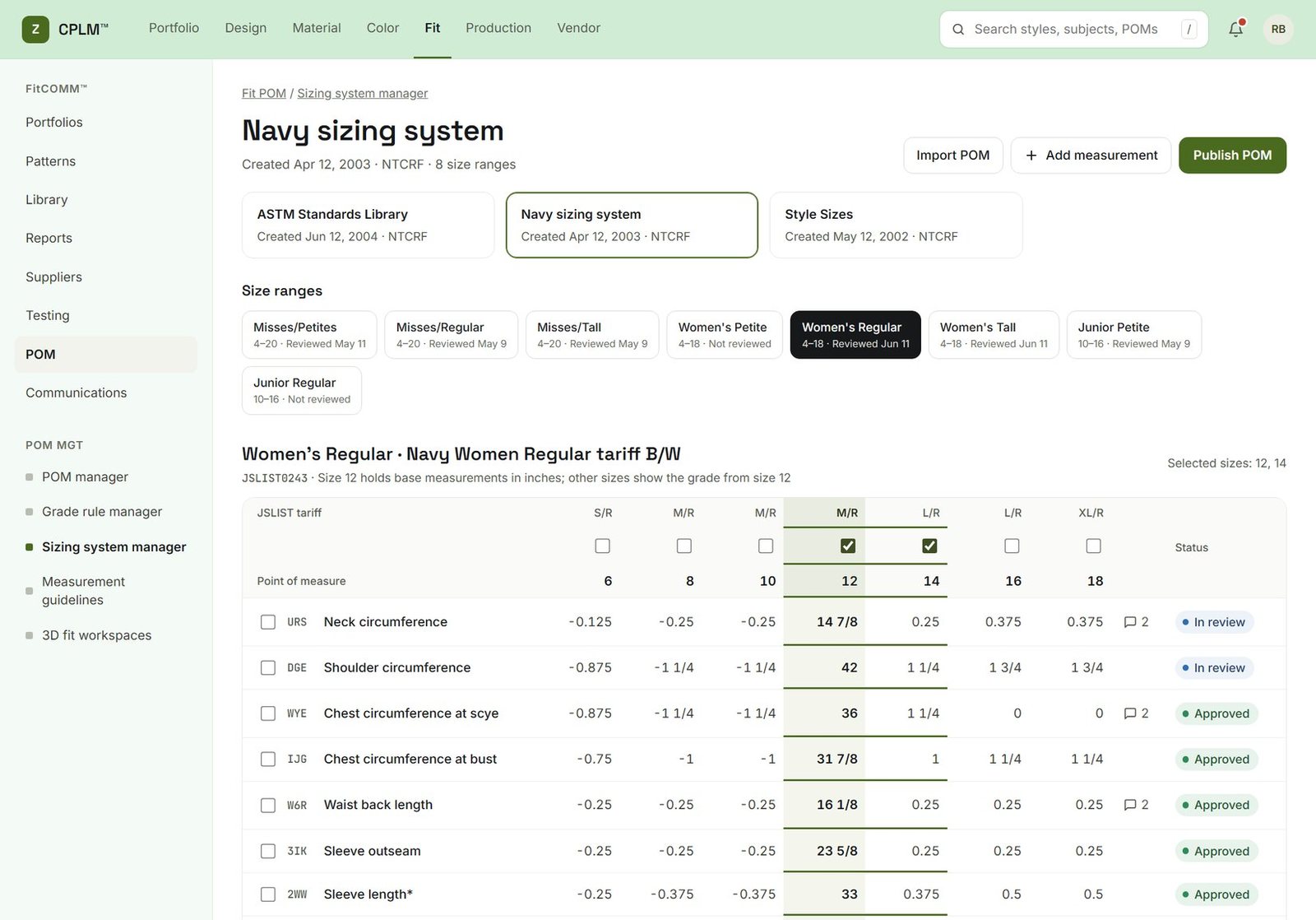
- FitCOMM™. 2-D and 3-D fit data, fit testing and sizing systems.
- VendorCOMM™. Vendors, suppliers and contractors, with performance history.
My methodology
I checked each stage with stakeholders before moving to the next.
- Discover. Analyzed the domain: each role’s responsibilities, current workflows and pain points.
- Model. Mapped workflows so every role follows the same steps, and reviewed them with stakeholders.
- Validate. Built role-based wireframes to test task flows with users before visual design.
- Design. Designed the high-fidelity UI and interaction patterns on the validated flows.
The idea: everything is a card
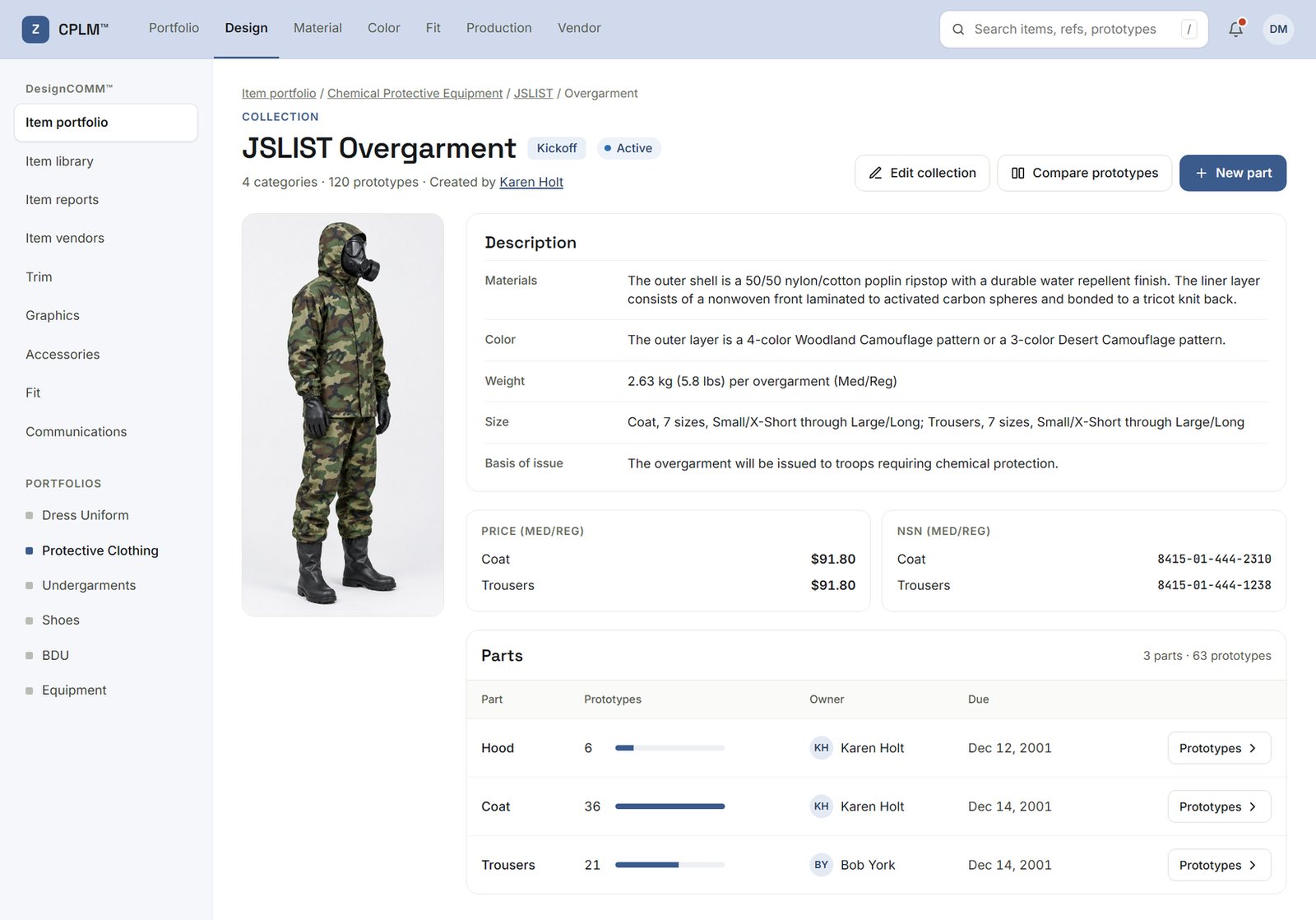
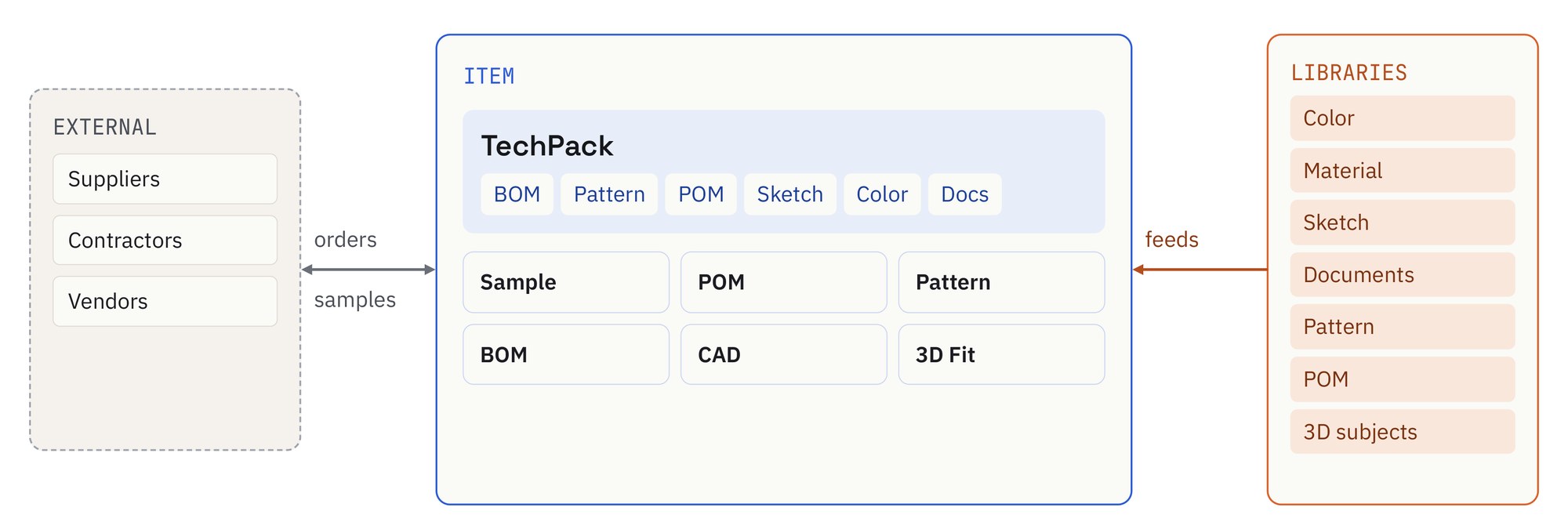
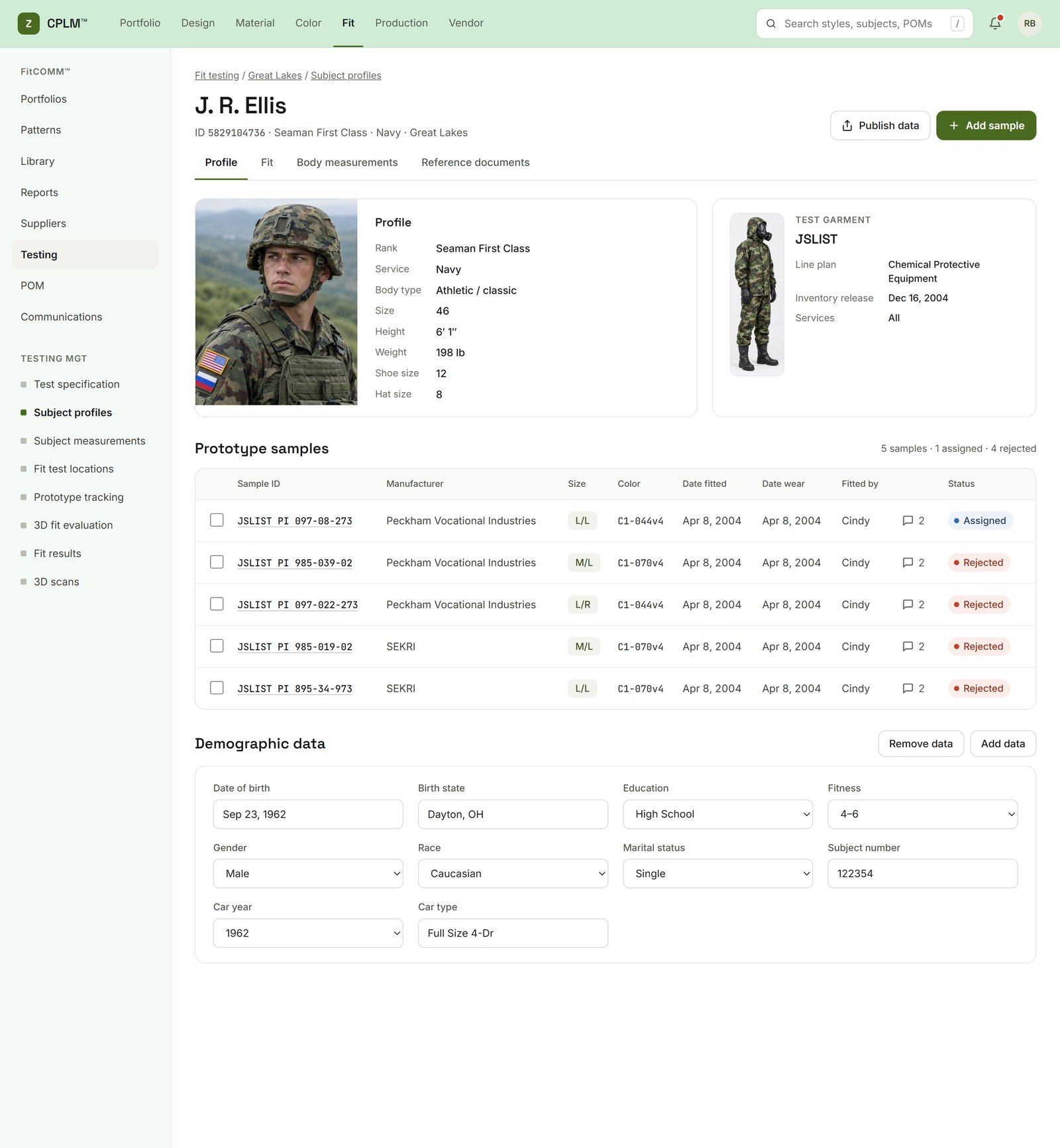
Every product is one Item. Its TechPack, patterns, points of measure, colors, samples and 3D fit are cards attached to it. Shared libraries feed the cards, and partners receive work orders and send samples back.
From model to screen
I turned each part of the model into a screen people recognize at a glance.
What it set up
Every product has one record, with versioned tech packs, colors and samples. Libraries are reused across programs, and fit history covers both physical and 3D fittings. All six modules share one page layout, and status is always written out, not shown by color alone.
More screens
Materials, color and sizing each have their own module color, so people always know where they are.
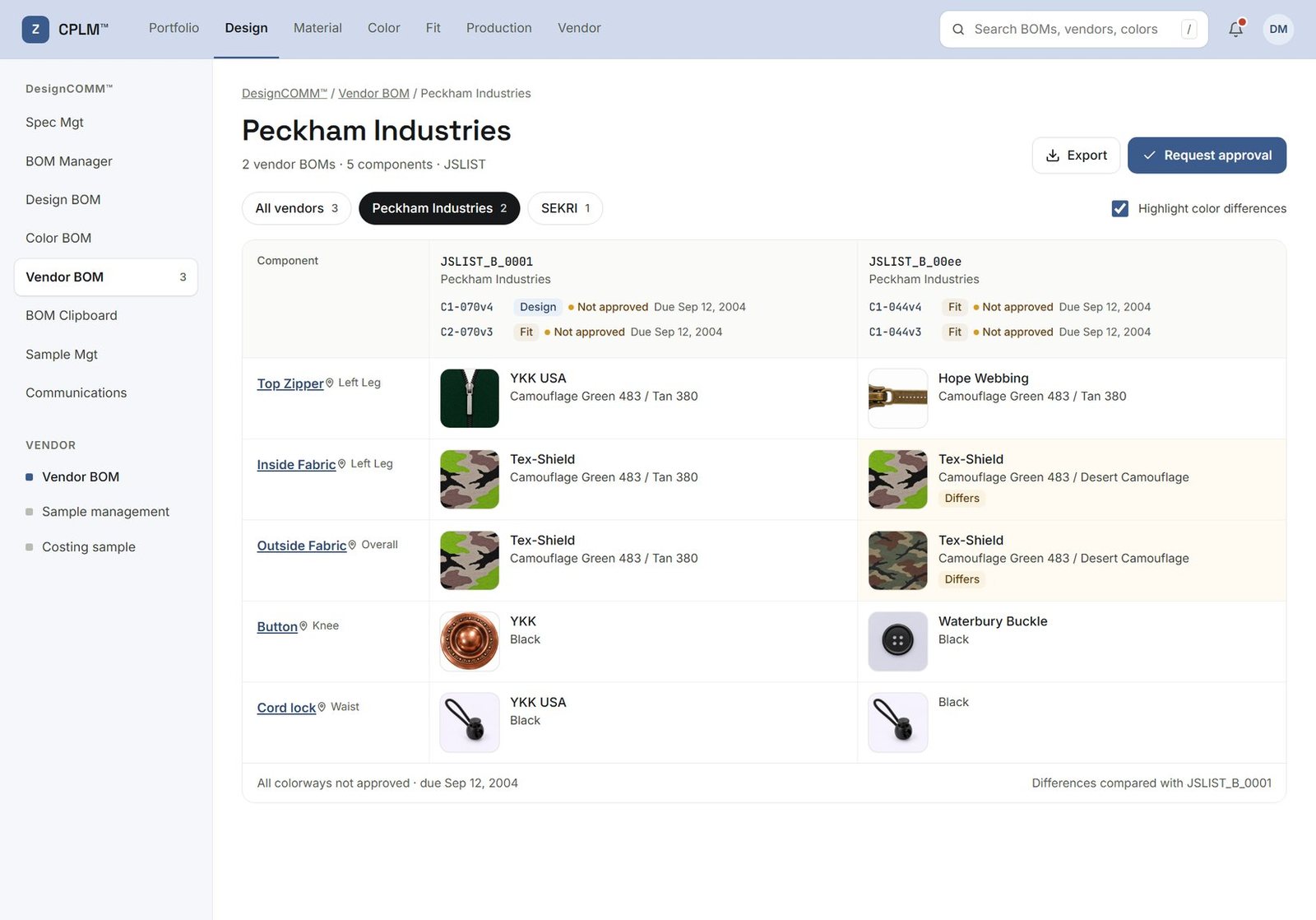
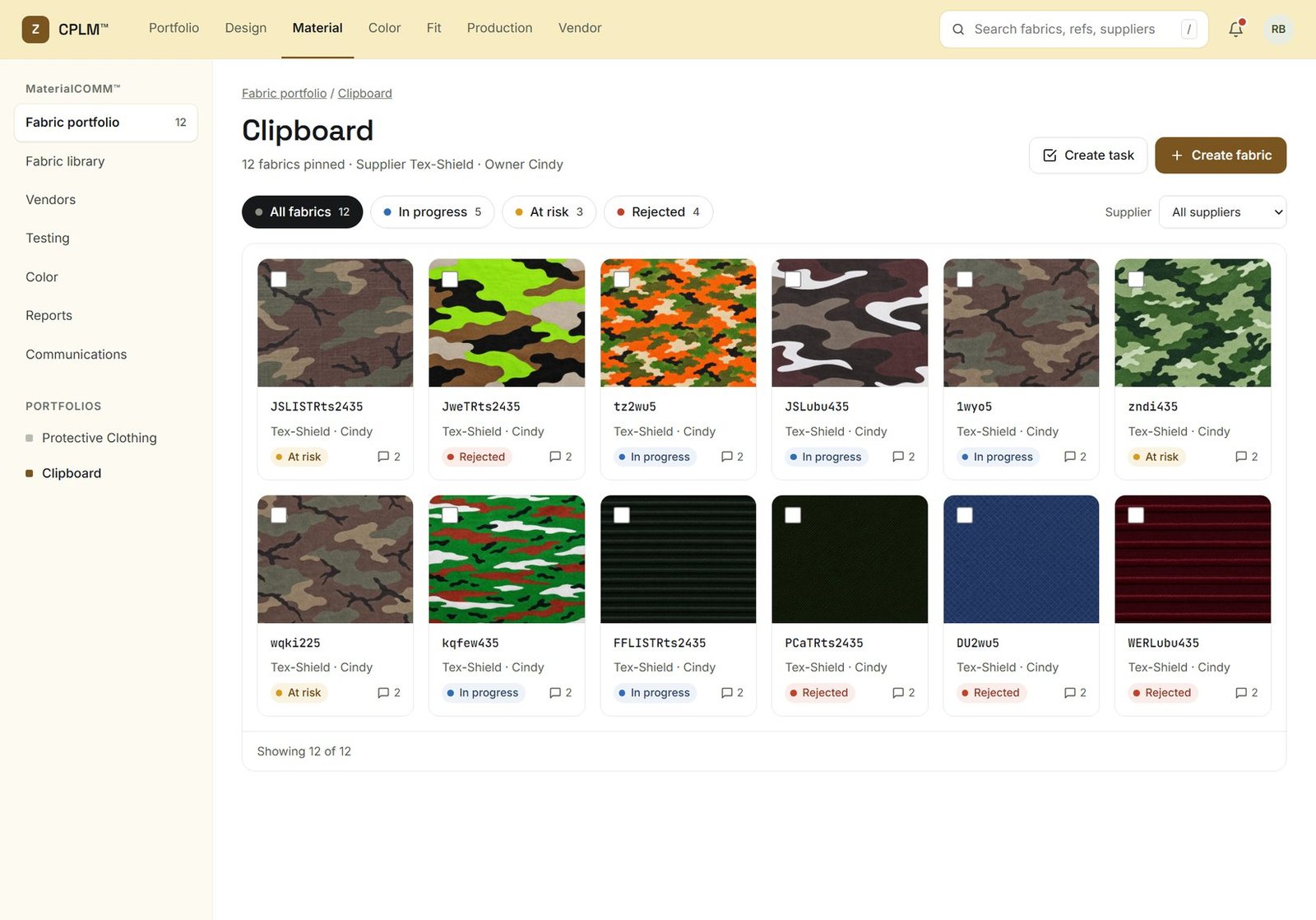
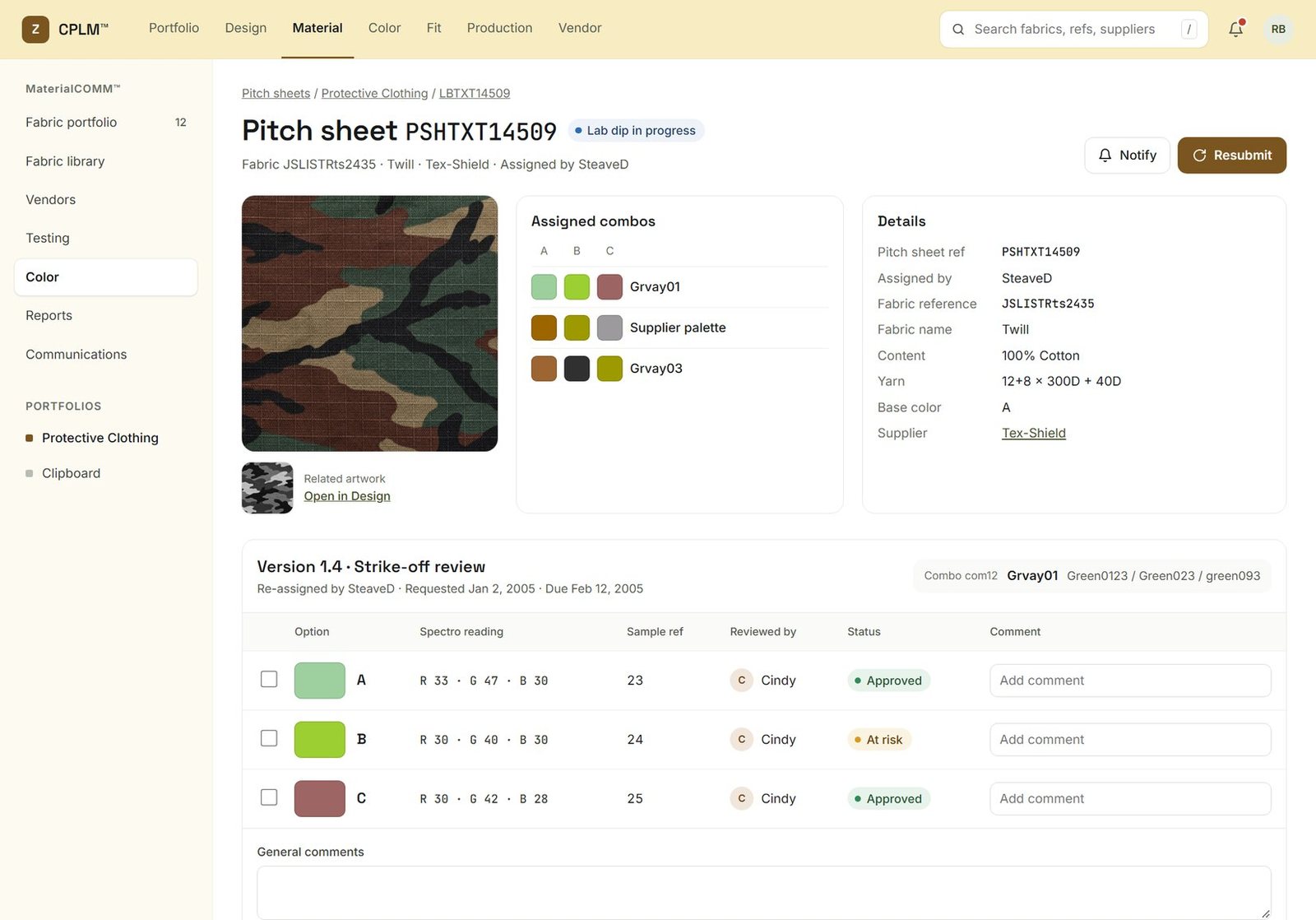
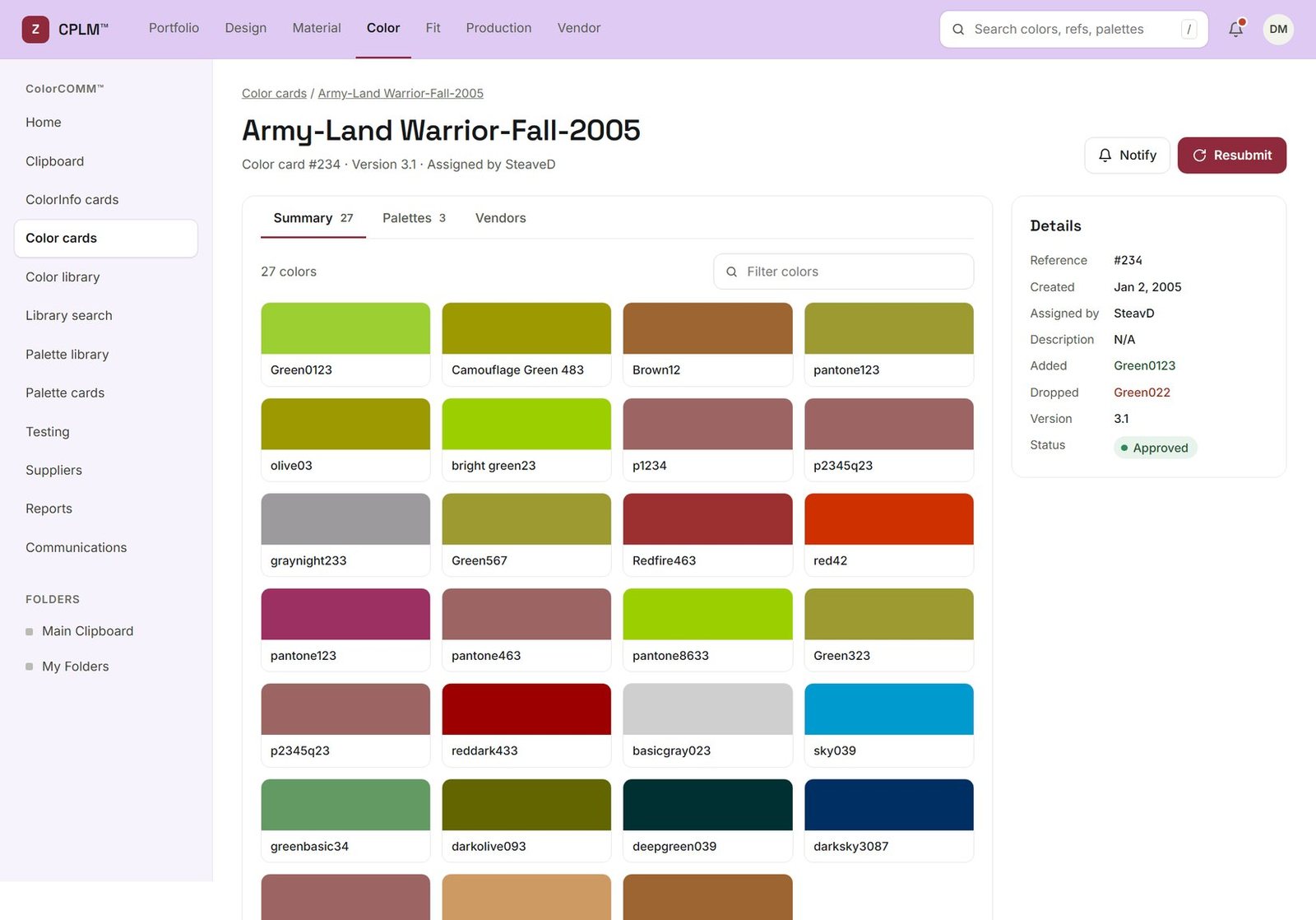
The details
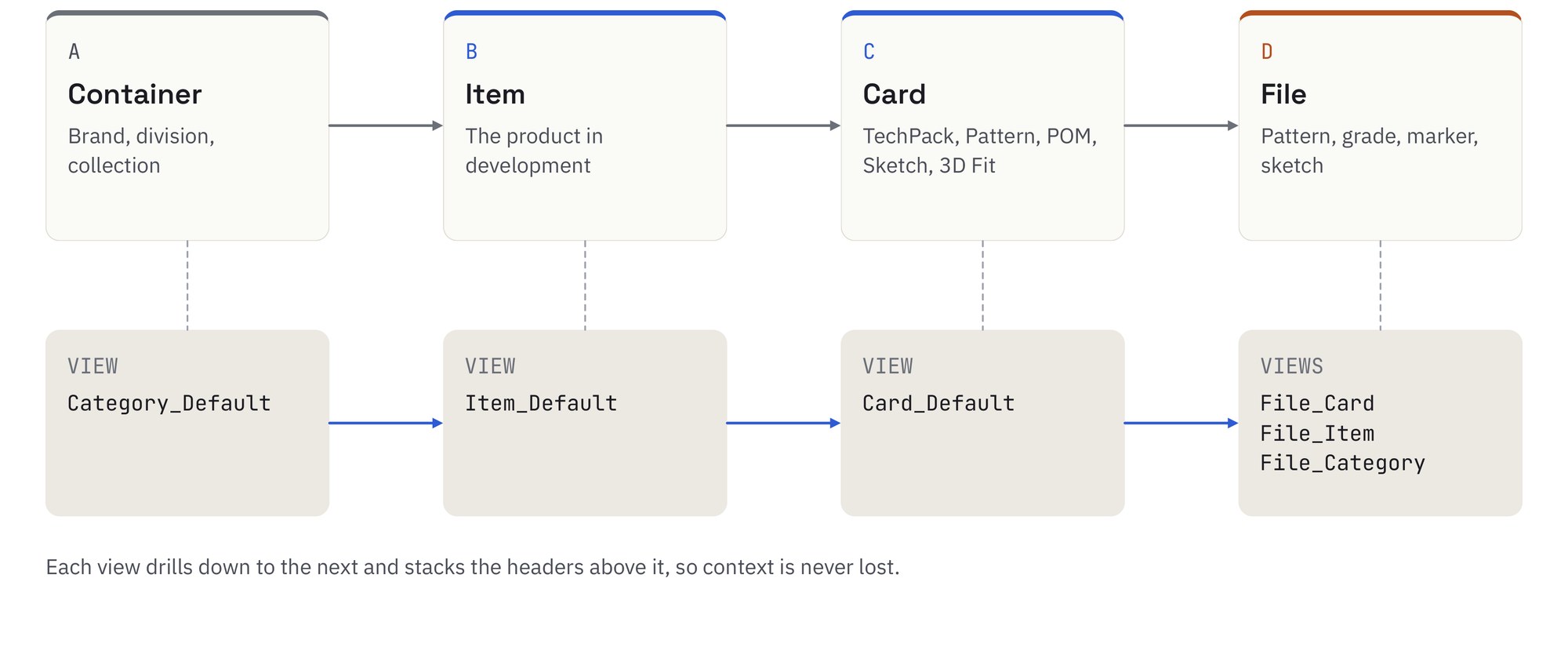
Four levels, one view for each
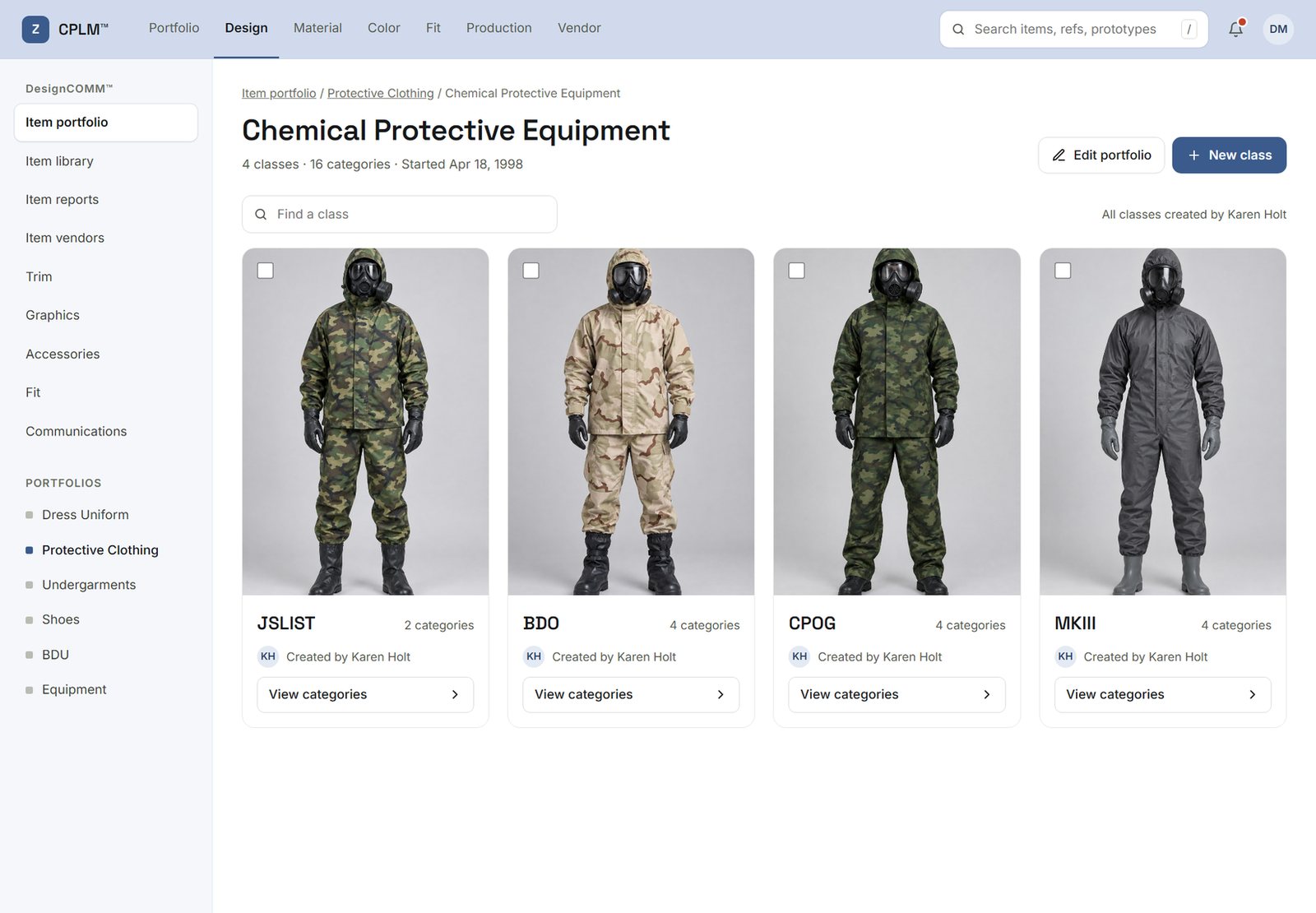
Container, Item, Card and File each have their own view. Each view drills down to the next and keeps the headers above it, so context is never lost.
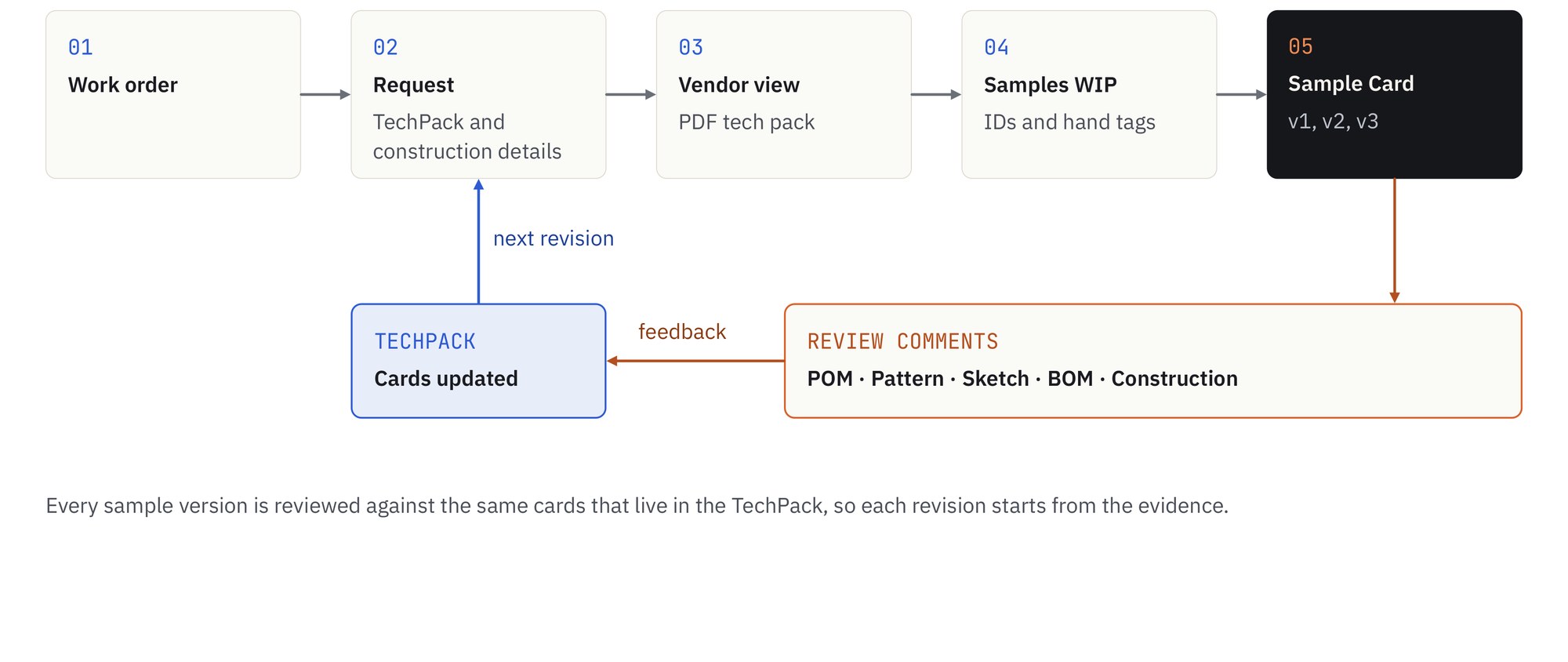
From work order to approved sample
Every sample version is reviewed against the same cards that live in the TechPack, so each revision starts from what the last review found.
3D fit: where pattern meets body
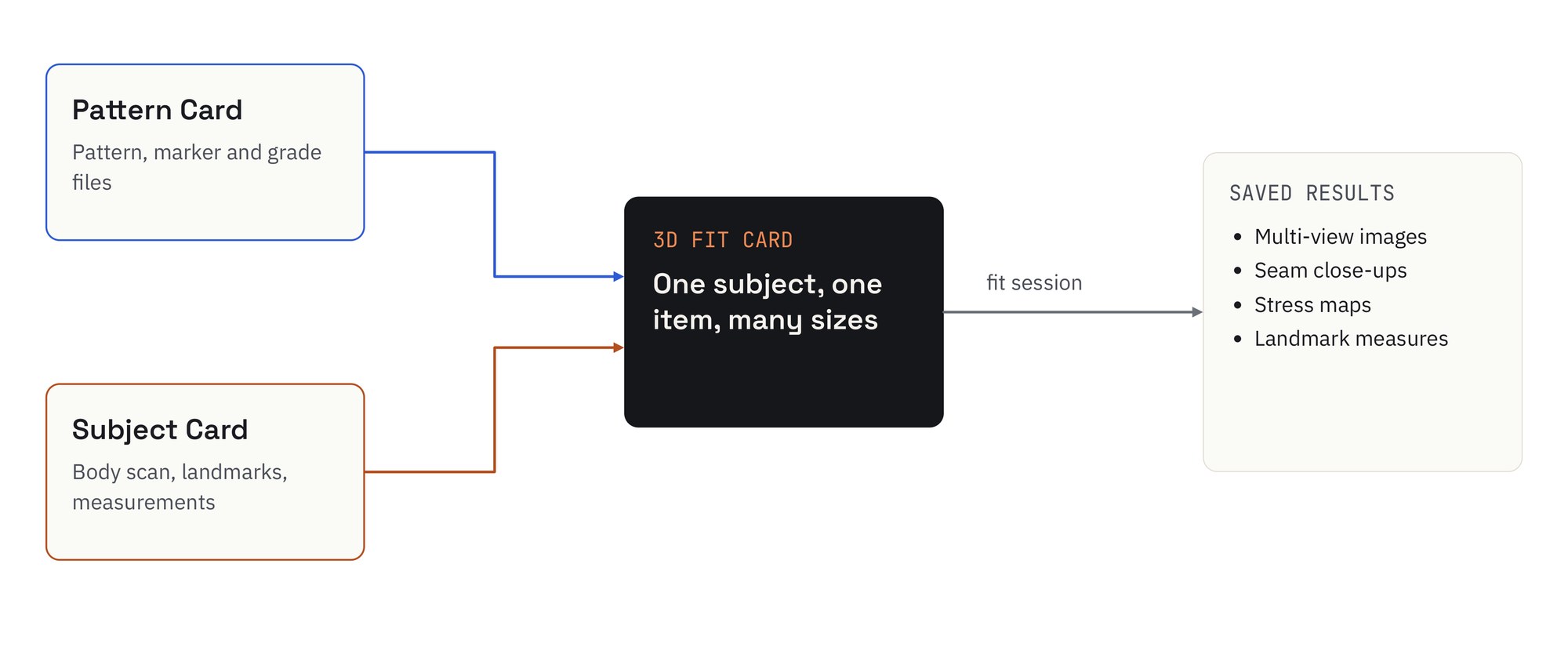
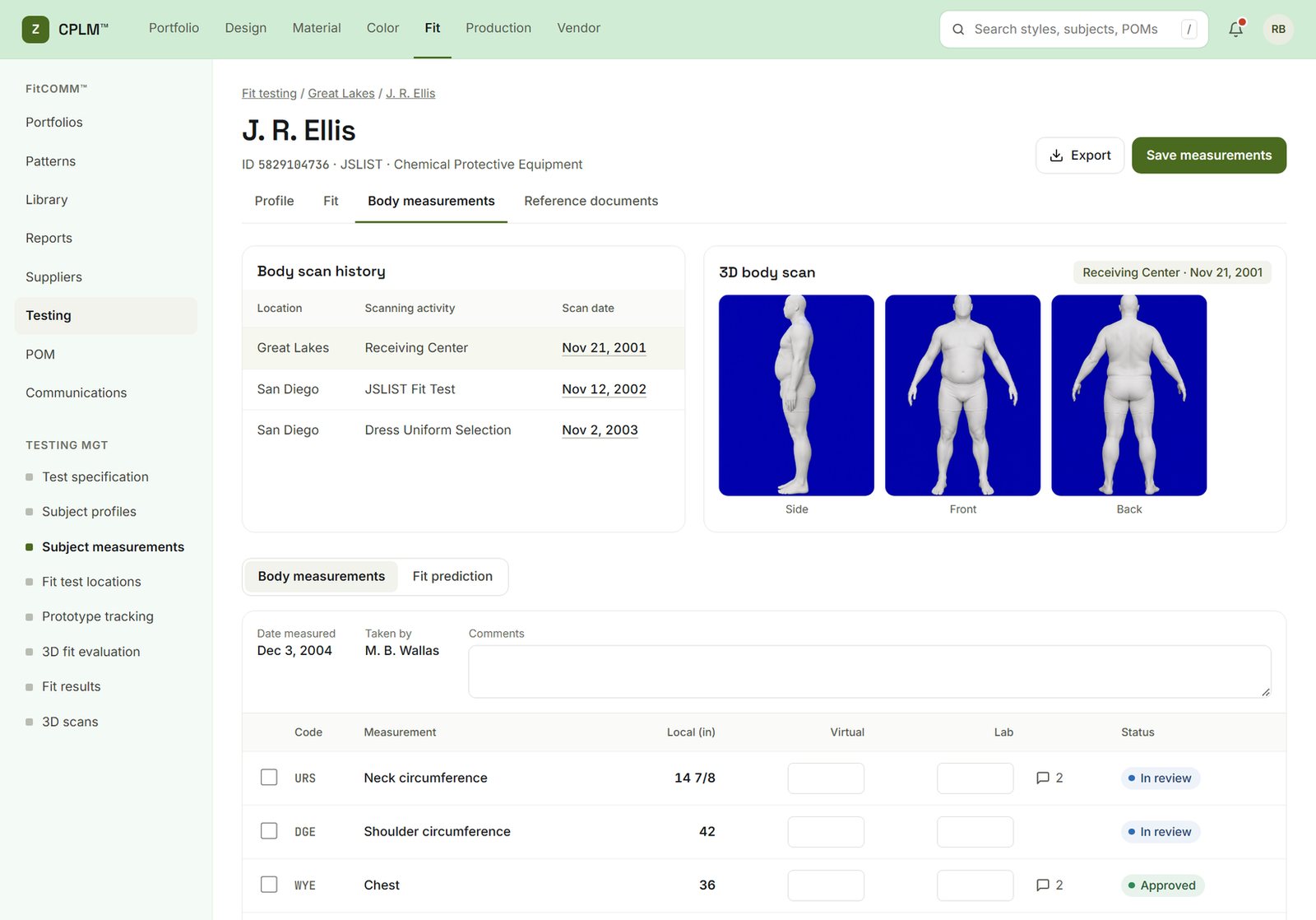
A 3D Fit card joins one subject’s body scan with an item’s pattern across many sizes, and saves the results: multi-view images, seam close-ups, stress maps and landmark measures.